- What it is
- A home alarm system built around a cheap wireless alarm panel and a Raspberry Pi. It started as a script reading the panel's lights and is now a web dashboard I can check from my phone.
- Why I made it
- In 2020 our alarm panel could only light up an LED for each open door. My dad and I wanted it to do a lot more, like send alerts, silence the beeper and keep track of everything.
- What I did
- My dad and I wired the panel's lights into a Pi. Then I wrote three versions of the software: the first script, a full-screen Pygame console with no AI help, and a set of small programs with a Flask dashboard.
- How it turned out
- It runs on our home network today. Each rebuild fixed what broke the last one, and it's how I learned about memory that keeps growing and splitting a program into parts.
The details
Version one: reading the lights (2020)
The alarm panel had a little light for each door sensor. Instead of replacing it, we soldered wires onto those lights and fed them into a Raspberry Pi, so my program could tell when the garage, gate, back door or front door opened. Some states blink, so the code watches each light for 15 seconds to tell a really open door from a flaky sensor. A relay let the Pi silence the panel's beeper too.
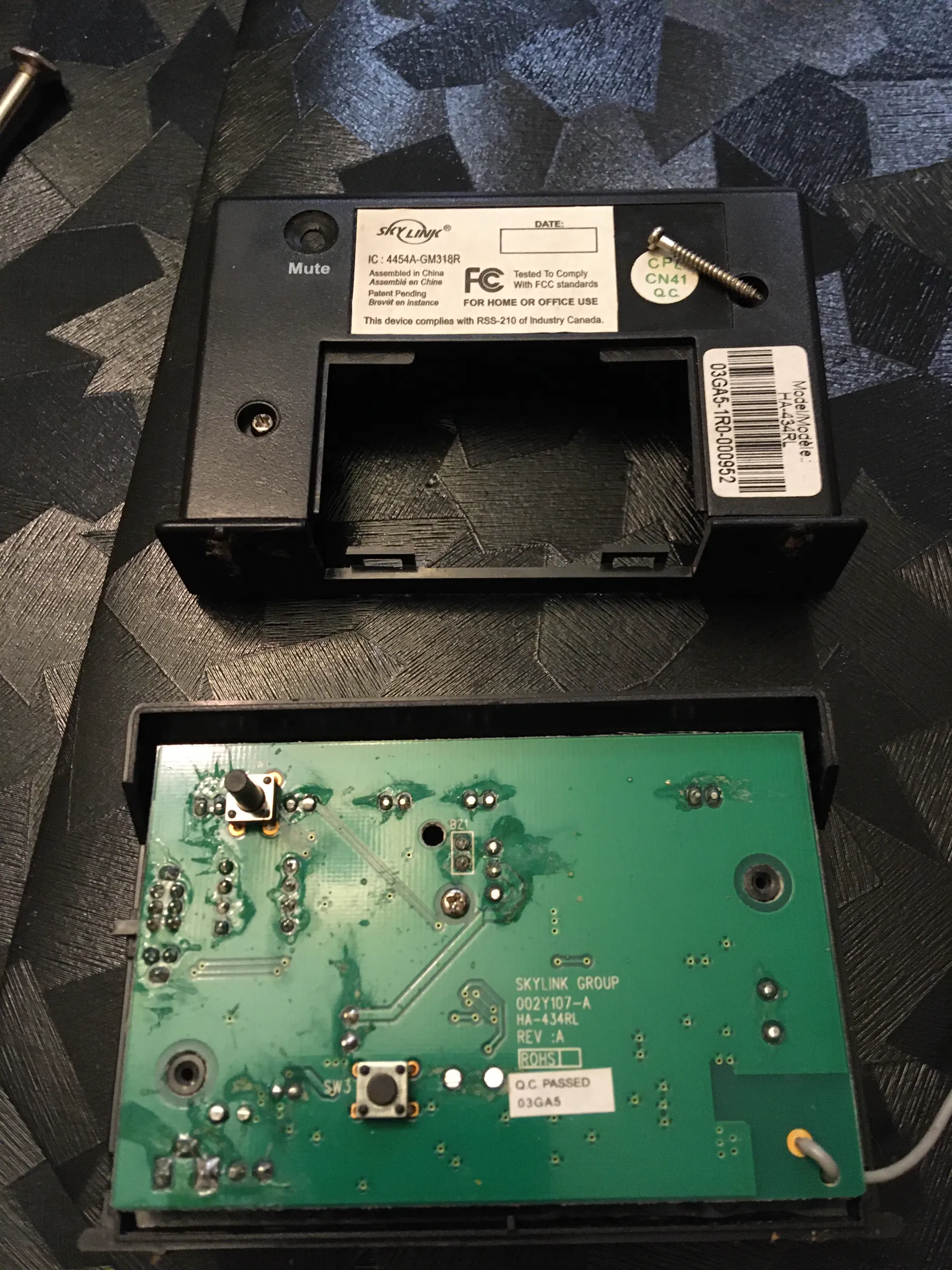
The panel opened up on the workbench. 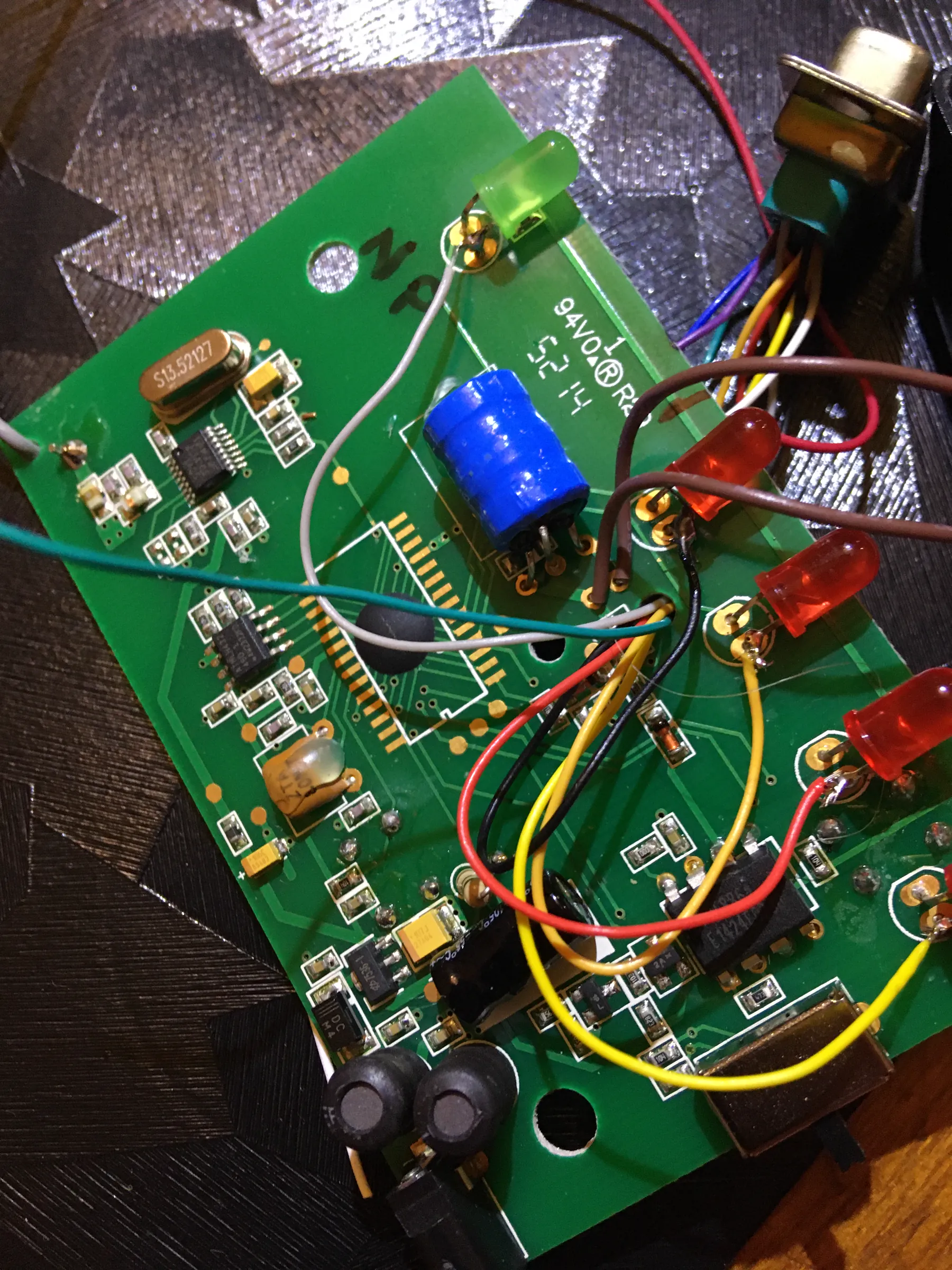
Wires soldered onto the four status lights. 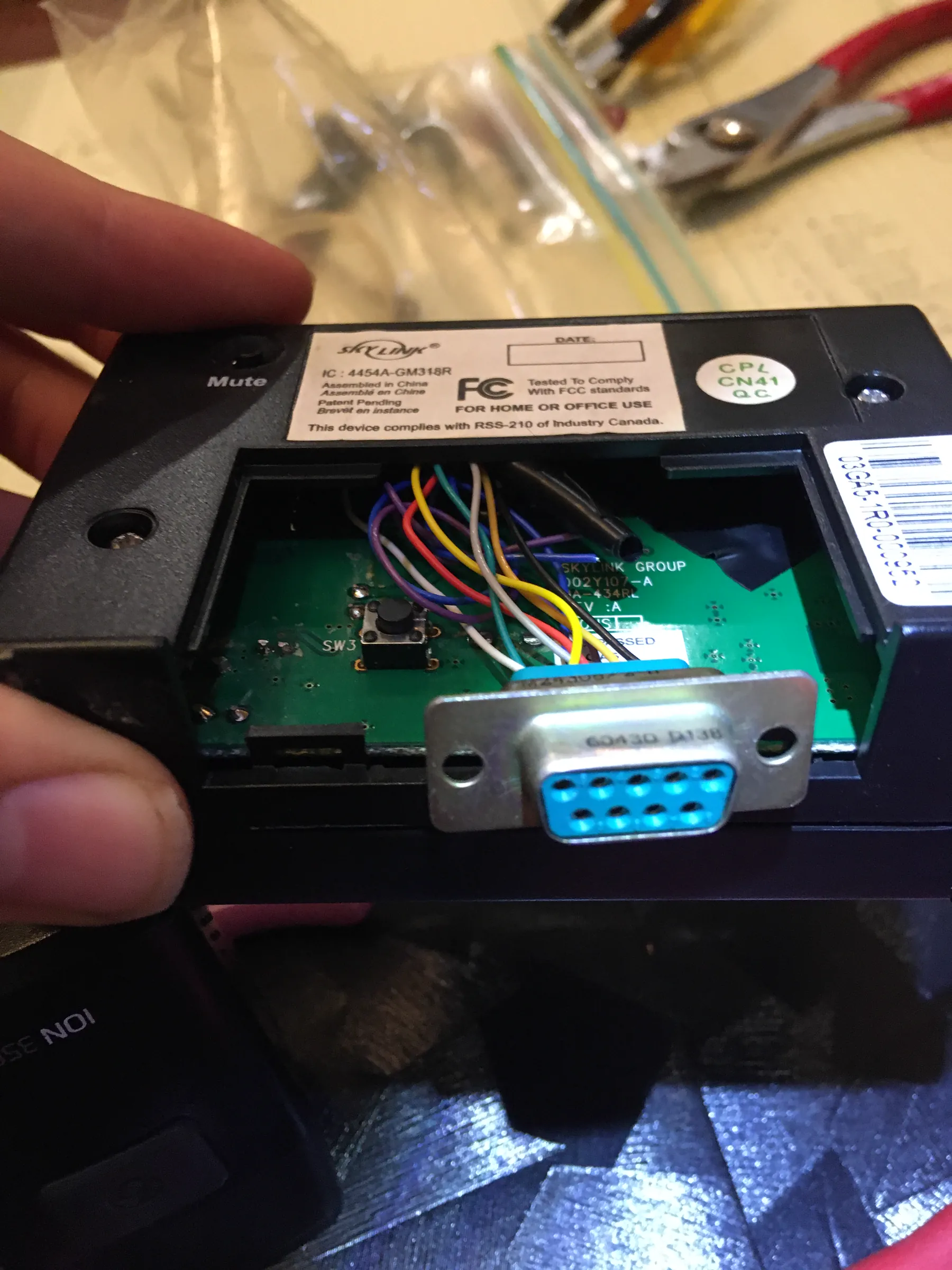
A connector so the panel could plug into the Pi.
The first tests (July 2020)
These are the original phone videos from July 2020. First the garage sensor, then the panel's lights changing on the bench, and then the panel next to my program reading it live.
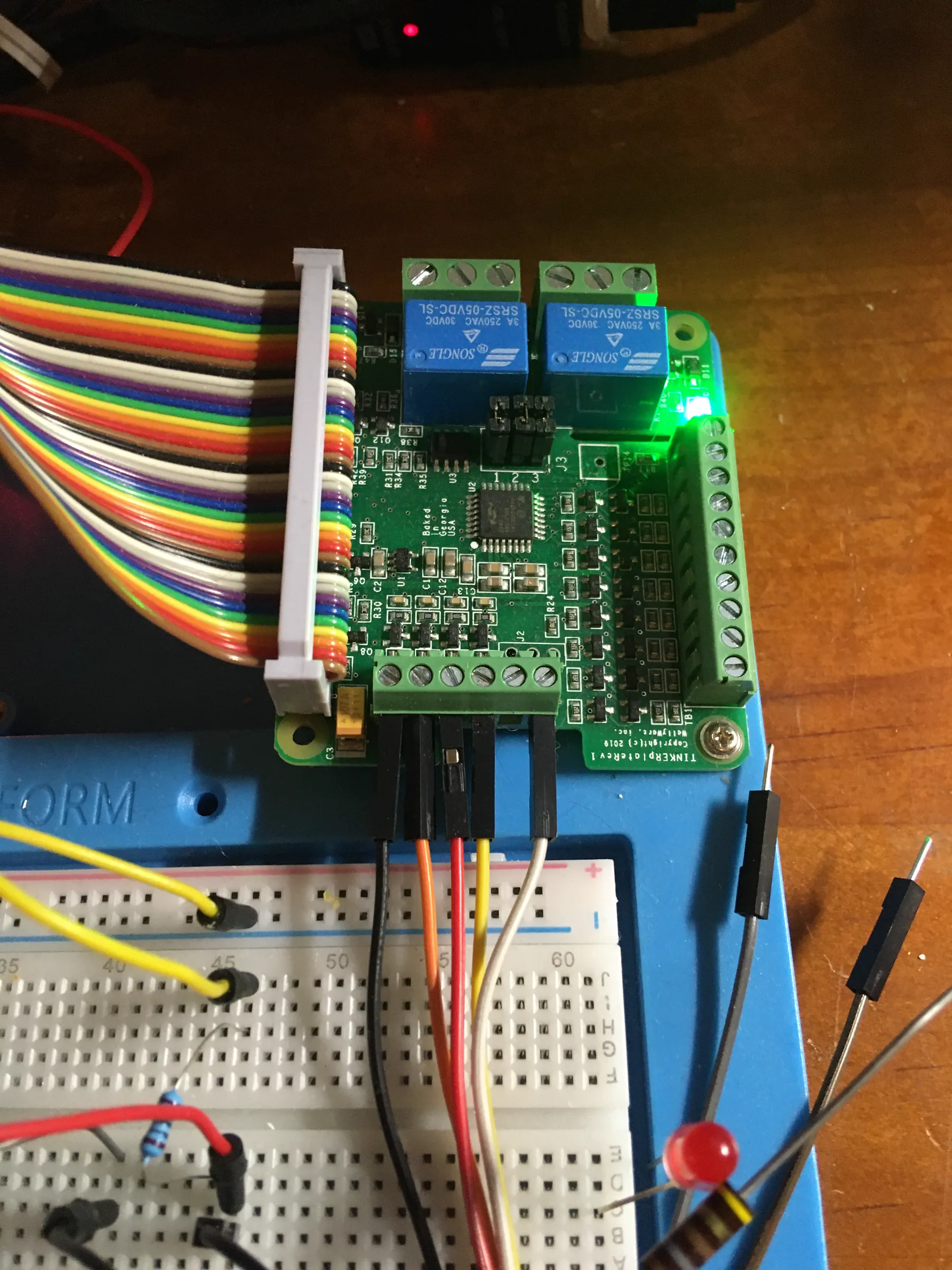
The Pi side of the setup: relays, a ribbon cable and a breadboard. Testing the garage door sensor. The panel's lights switching on the bench. The panel next to my program reading it live.
Version two: a Pygame console (2022)
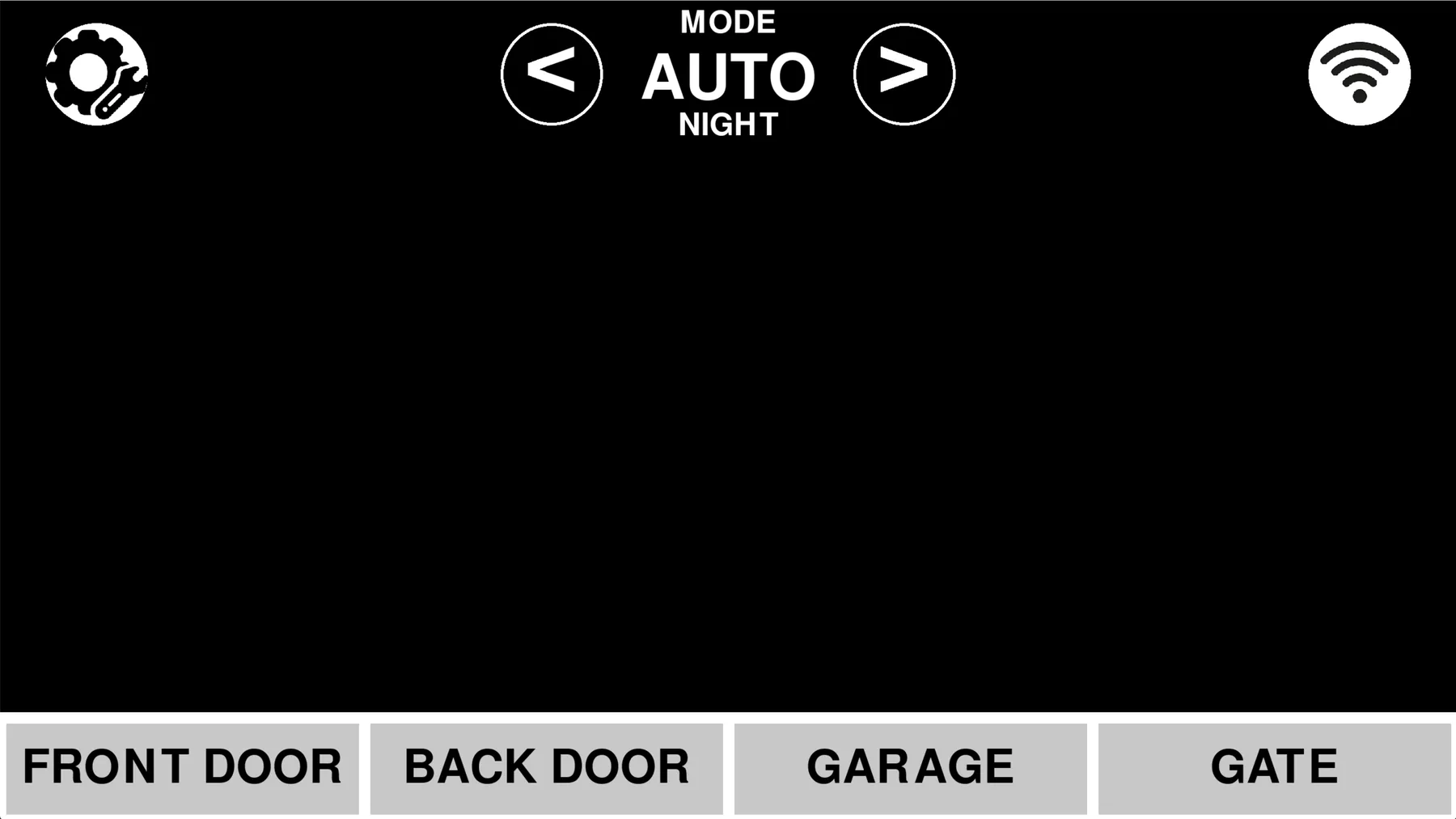
In 2022 I turned it into a full-screen control panel in Pygame, without any AI help. Pygame doesn't come with buttons or menus, so I drew every one myself, which basically meant building my own small UI toolkit. It had modes like Home, Night and Away, each with its own alerts and sounds, plus a stats page that counted how often each door opened.
Settings and a hidden mushroom
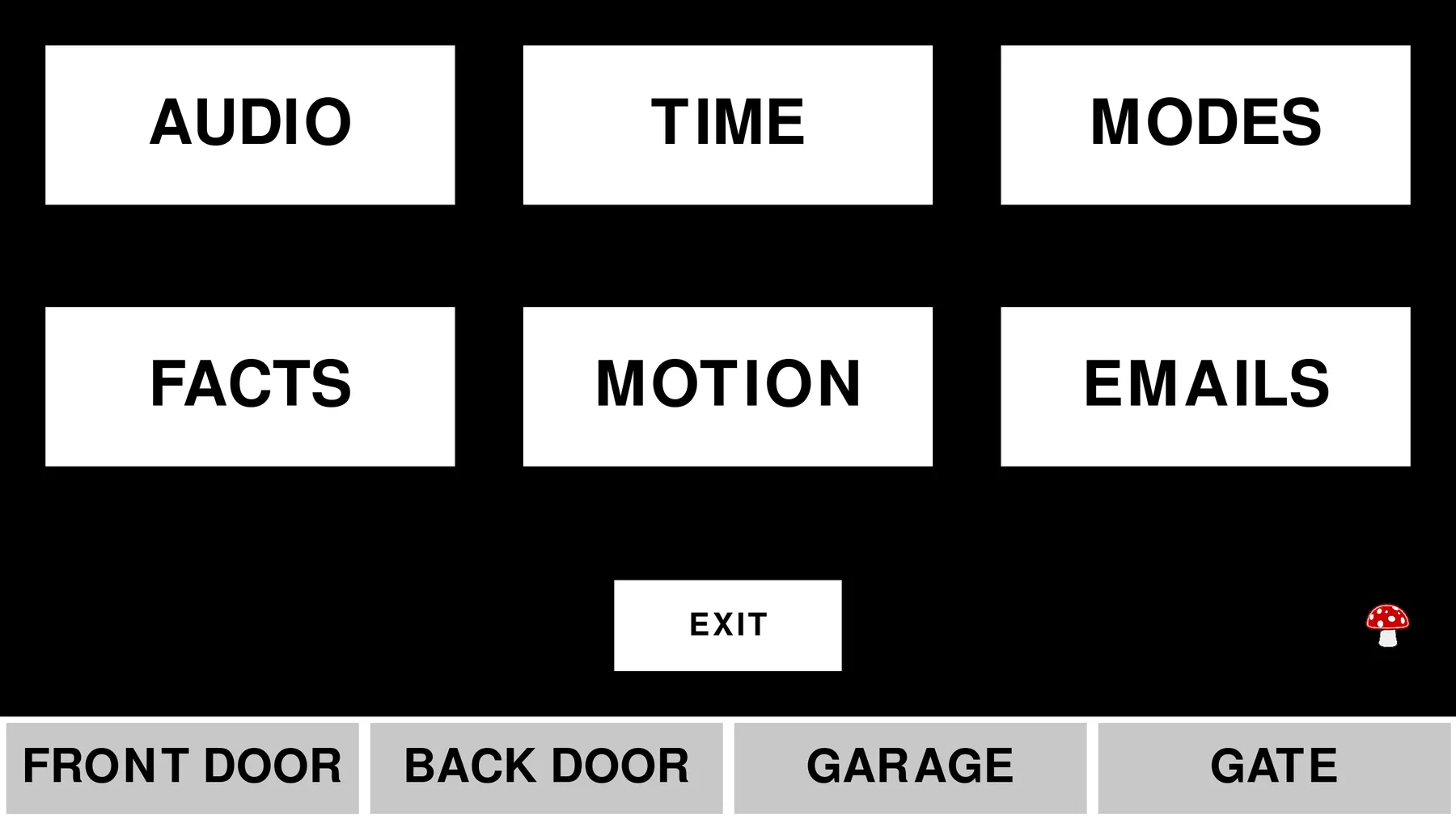
The settings screen had audio, timers, modes, stats, motion and email settings, and some of it was locked behind a PIN. The little mushroom in the corner is a hidden exit button, just for fun.
The crash that changed everything
The Pygame version ran all day on a Pi, but after a week or two it would run out of resources and crash. A bug that only shows up after days is really hard to track down. It taught me to think about things like memory that keeps growing, logs that never get cleaned up, and which part of a program owns which data.
Version three: a team of small programs (2025)
So in 2025 I rebuilt it as a bunch of small programs that talk to each other: one for the sensors, one for the saved data, one for sound, one for motion sensors, one for cameras, one for Telegram alerts, and a Flask web app on top. I didn't know the word microservices yet. I just kept splitting things up until each part had one job. I used ChatGPT while building this version.
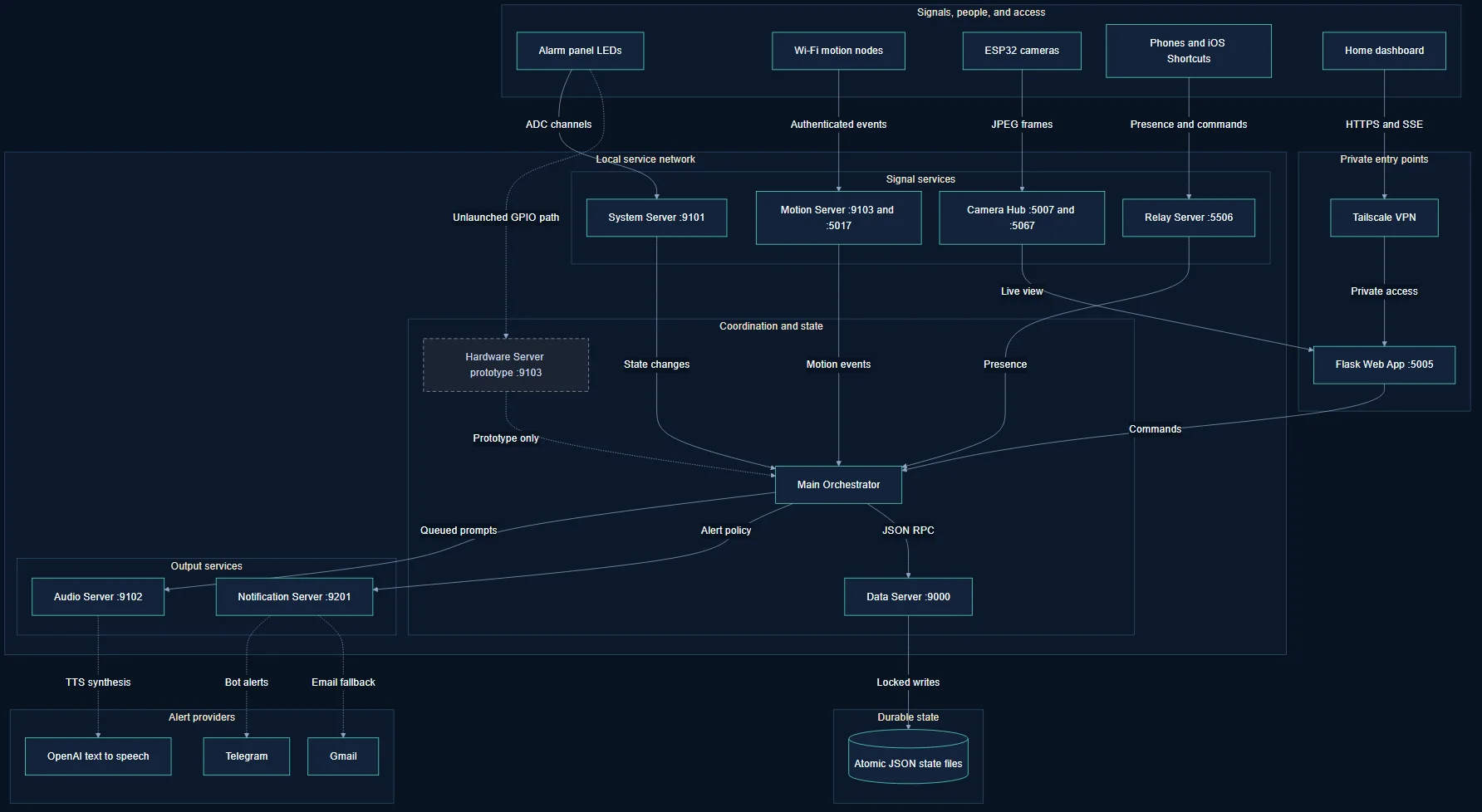
The web dashboard
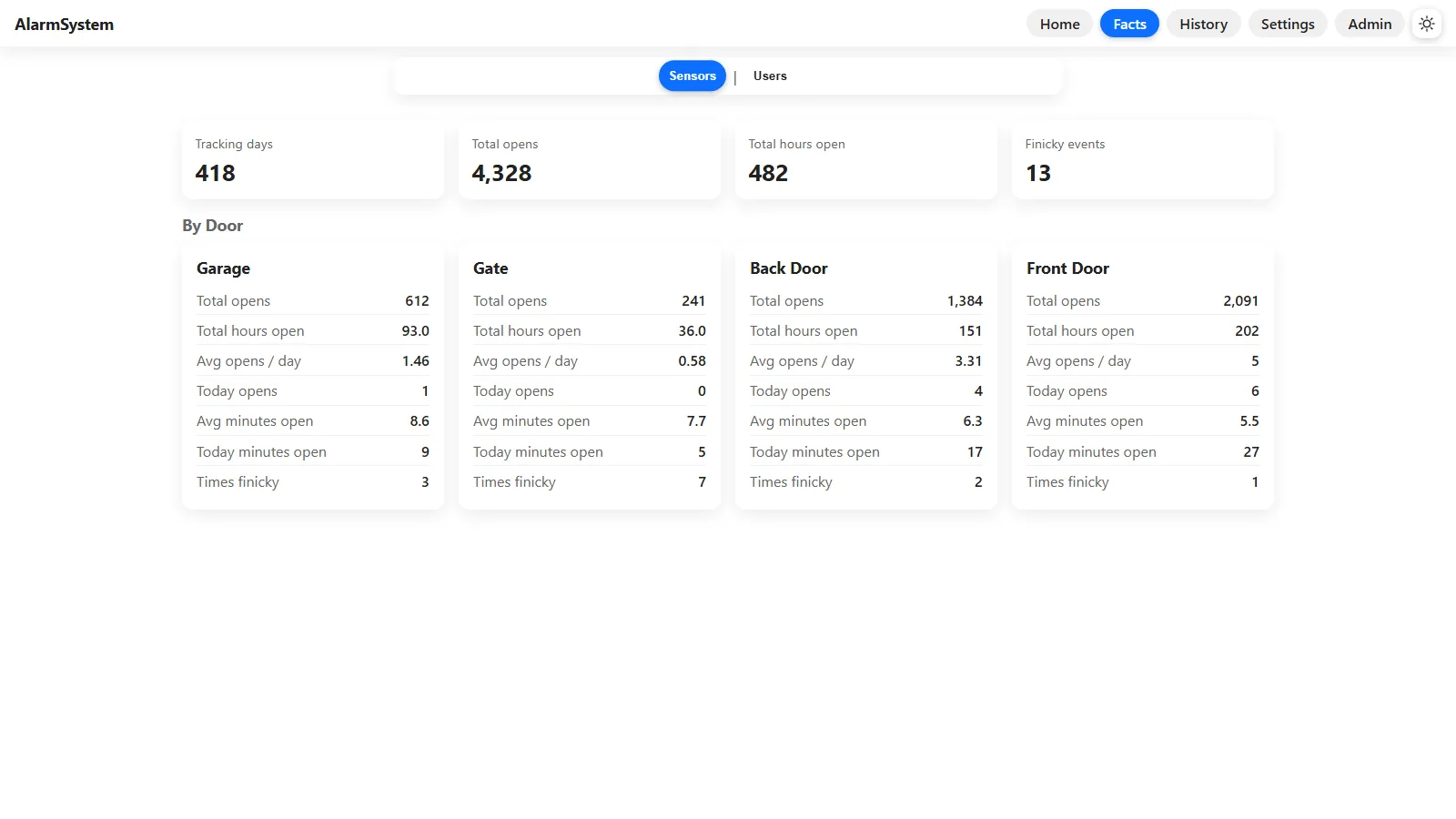
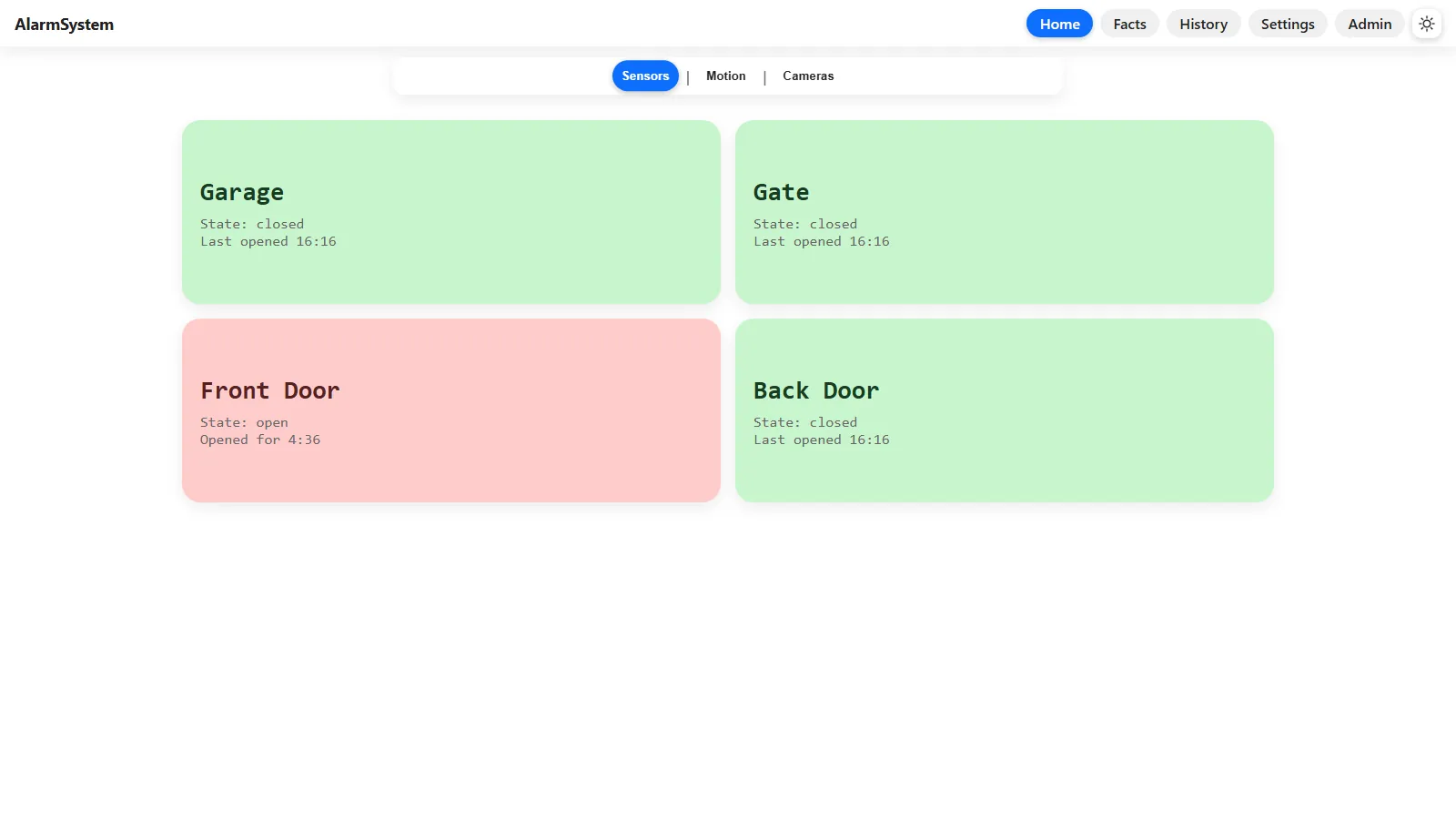
The dashboard keeps the same four big door tiles, green for closed and red for open, and they update live. There's a facts page, a history page, settings, and an admin page where I approve new devices. It runs on our home network, and I use Tailscale to reach it from anywhere without putting it on the public internet.
What's next
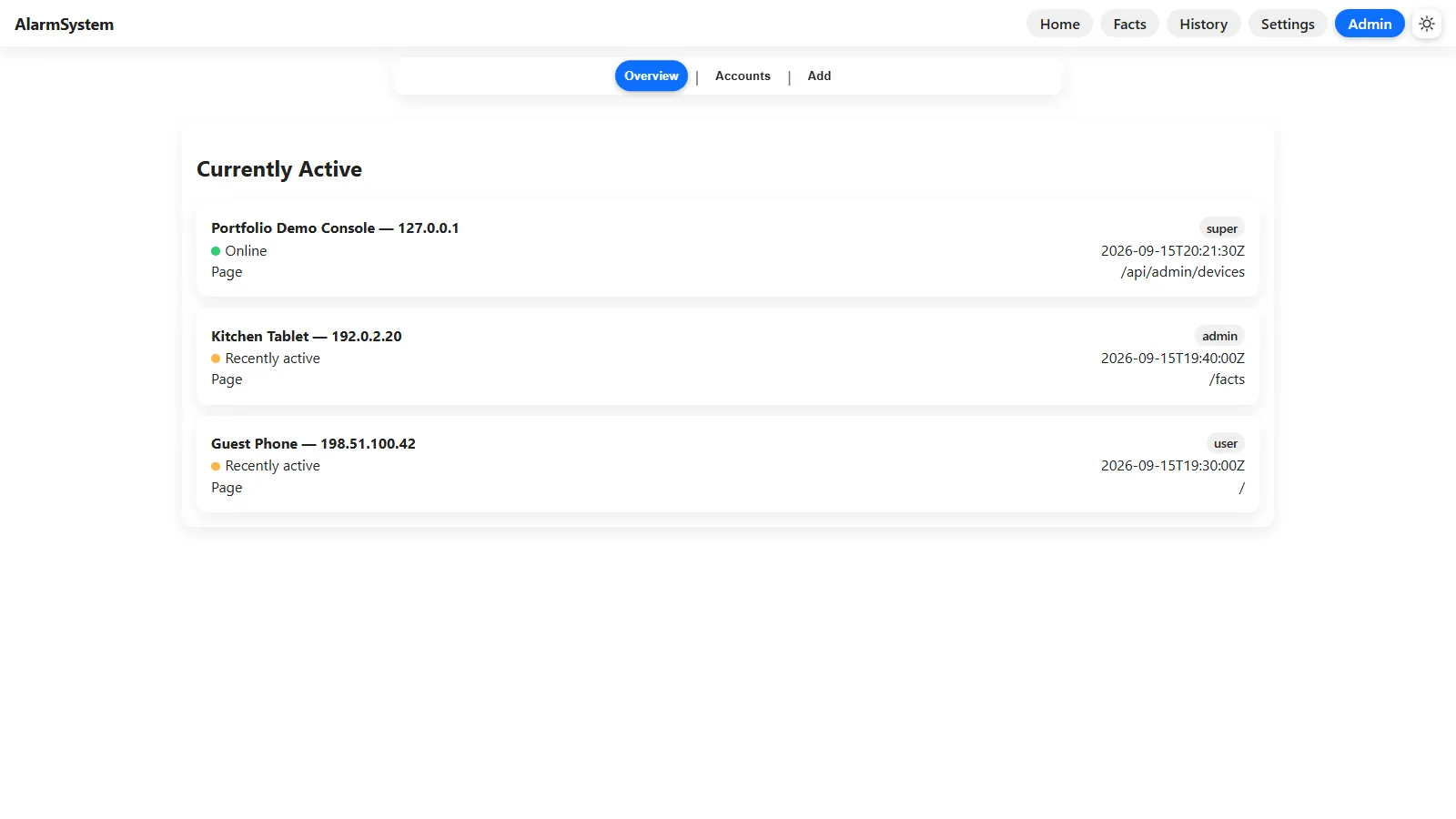
The new setup makes it easy to add sensors that don't have to wire back to one Pi, so next I want Wi-Fi motion sensors built from Raspberry Pi Picos and more ESP32 cameras. If I rebuilt the messaging today I'd probably use something like Redis instead of writing it all myself, but writing it myself is how I learned why tools like that exist.