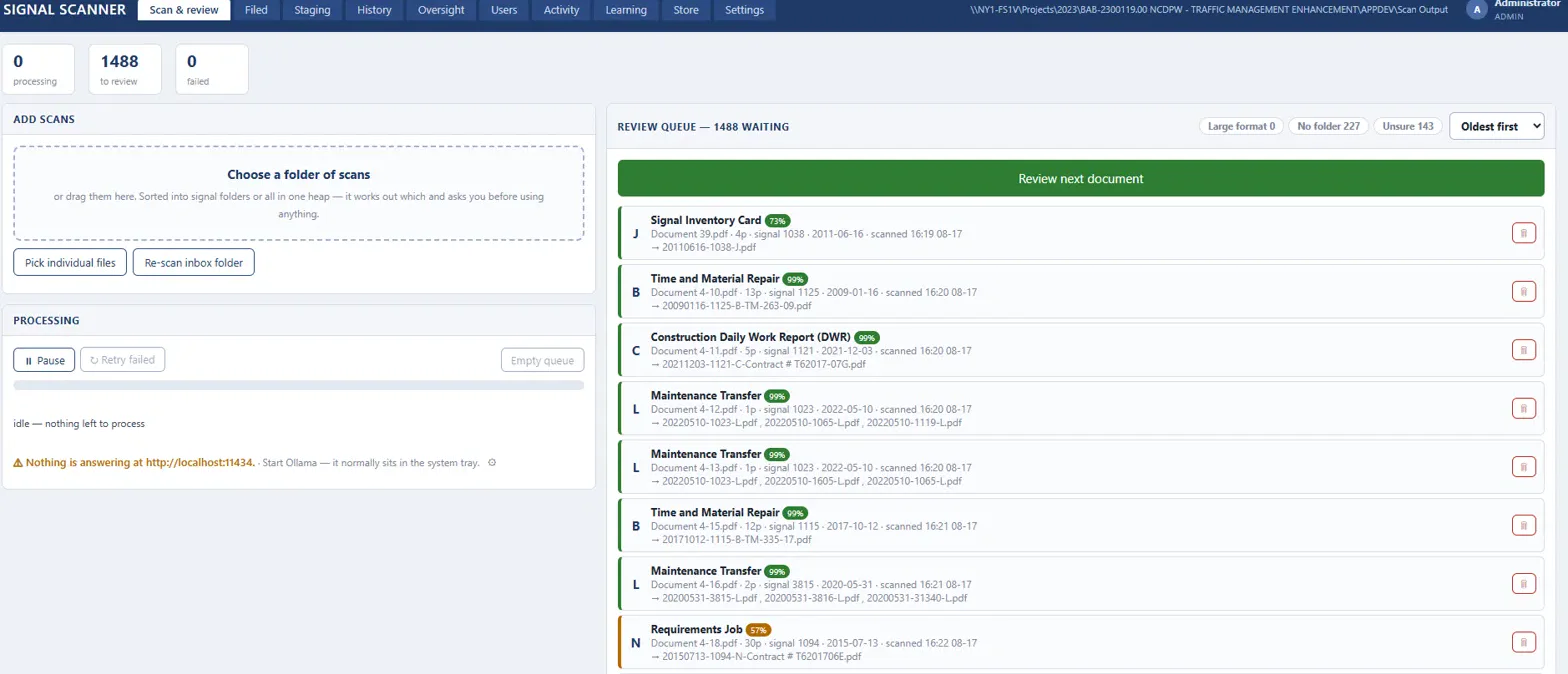
- What it is
- A prototype that reads old scanned traffic signal records, figures out what each one is, and suggests a file name and details for a person to approve.
- Why I made it
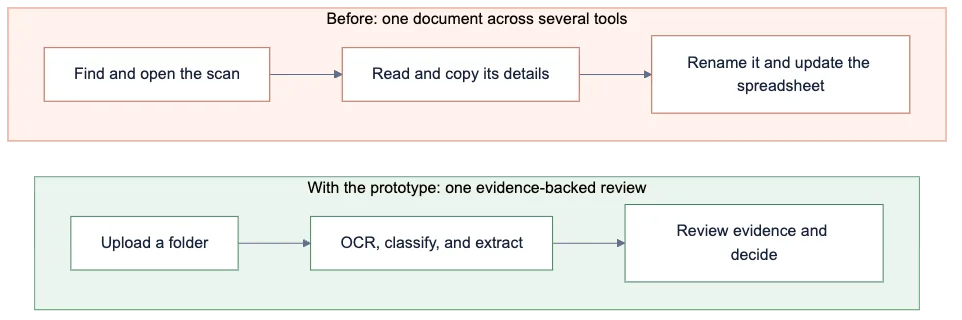
- The county was scanning about 300,000 pages of records, some from 1972. After scanning, someone still had to open every PDF, work out what it was, rename it and log it by hand.
- What I did
- I built it at my 2026 internship at GPI: text reading for old scans, three separate ways of guessing each document's type, a review screen that shows where every suggestion came from, and accounts for helpers and experts.
- How it turned out
- When it was confident, it matched the county's own category about 97% of the time, and it got the type right on all 26 documents in a blind test. Dates and exact names were harder, so a person still checks every one.
The details
Seeing the bottleneck
The records filled about 50 filing cabinets: signal plans, timing sheets, work orders and more. One team was scanning everything into PDFs, and I could see the next step turning into another huge manual job. So I started building something before the process was even settled.
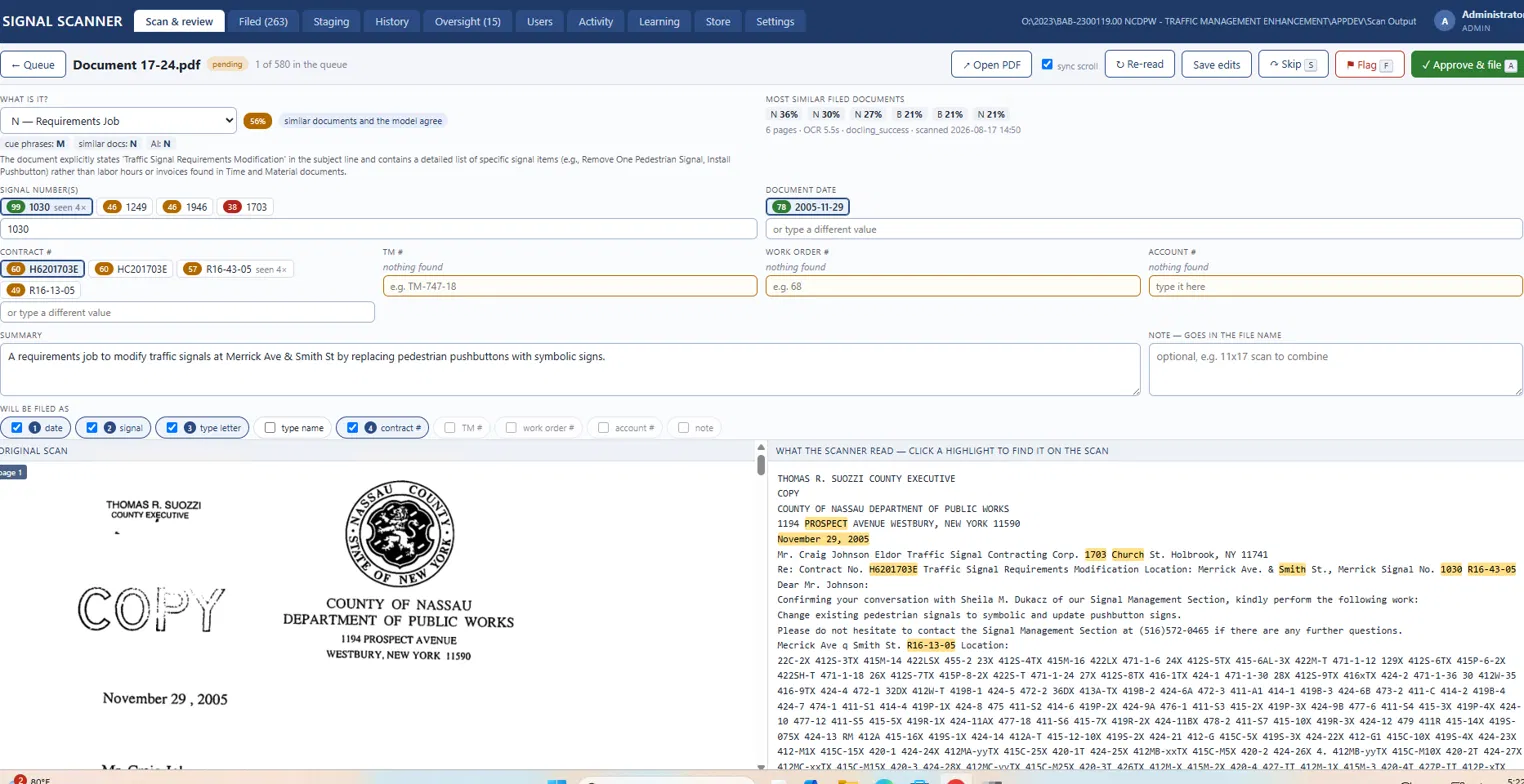
The software suggests, a person decides
The main rule was that it never files anything on its own. For every value it suggests, it remembers exactly where on the page it found it, so you can click a suggestion and jump straight to that spot on the scan. If it can't read a handwritten date, it says so and you type it in.
Reading 50-year-old paper
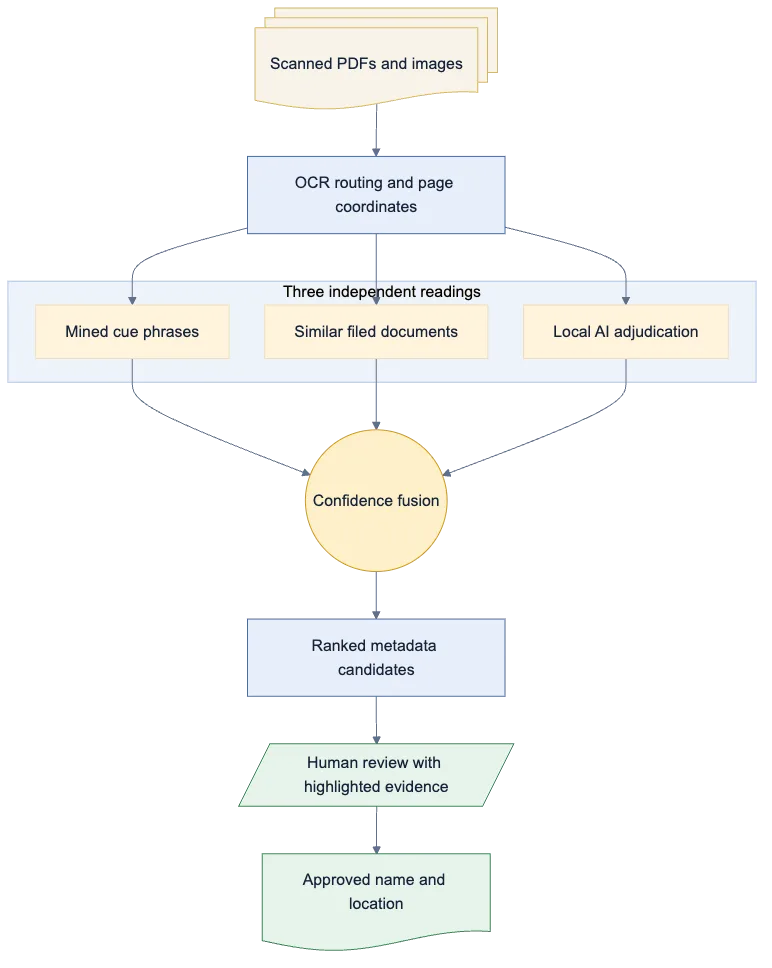
Getting text out of old scans was its own challenge. I used two OCR tools: one for normal typed pages, and another for big plan drawings, where I zoomed in on the corners because that's where the title blocks usually are. Handwriting was still the weak spot.
To figure out what kind of document each scan was, I used three separate methods: key phrases that only show up on one kind of form, a comparison against about 140 documents the county had already filed, and a small local AI. When they agree, it's confident. When they don't, it waits for a person.
It gets better as you use it
Every document someone approves becomes a new example. When an expert chooses to retrain, it learns from the office's own decisions, and if an approval gets undone, that example comes back out.

Built for the team
One paper packet could show up as several scans, and big plan sheets were scanned separately and added later. So I added a staging screen to put the pieces in order, rotate them and merge them before processing. I also added accounts, roles and a second check, so helpers could do a first pass and an expert could sign off. A lot of this came from talking with the people doing the scanning and filing.
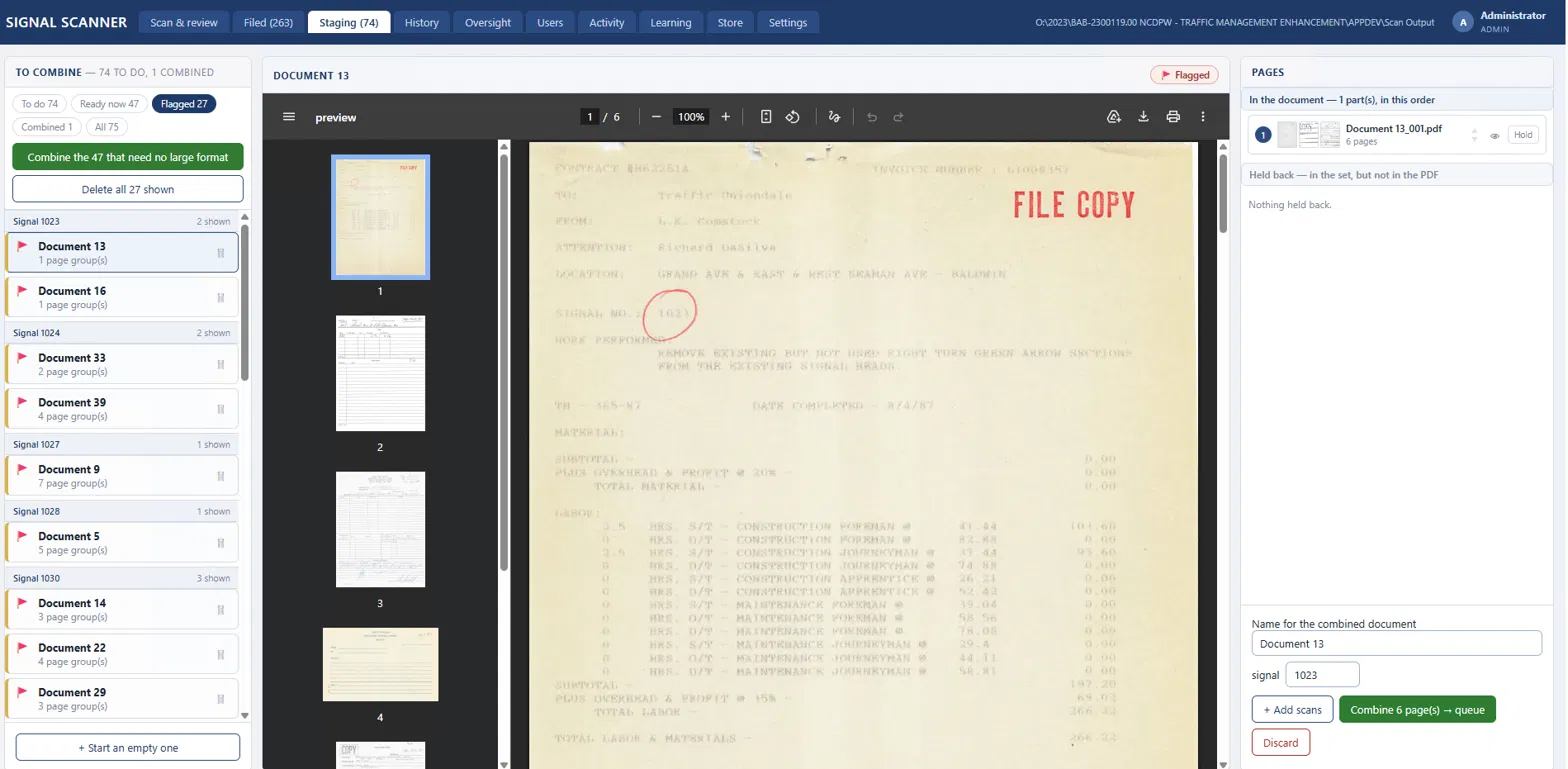
Putting separate scans in order before merging them. 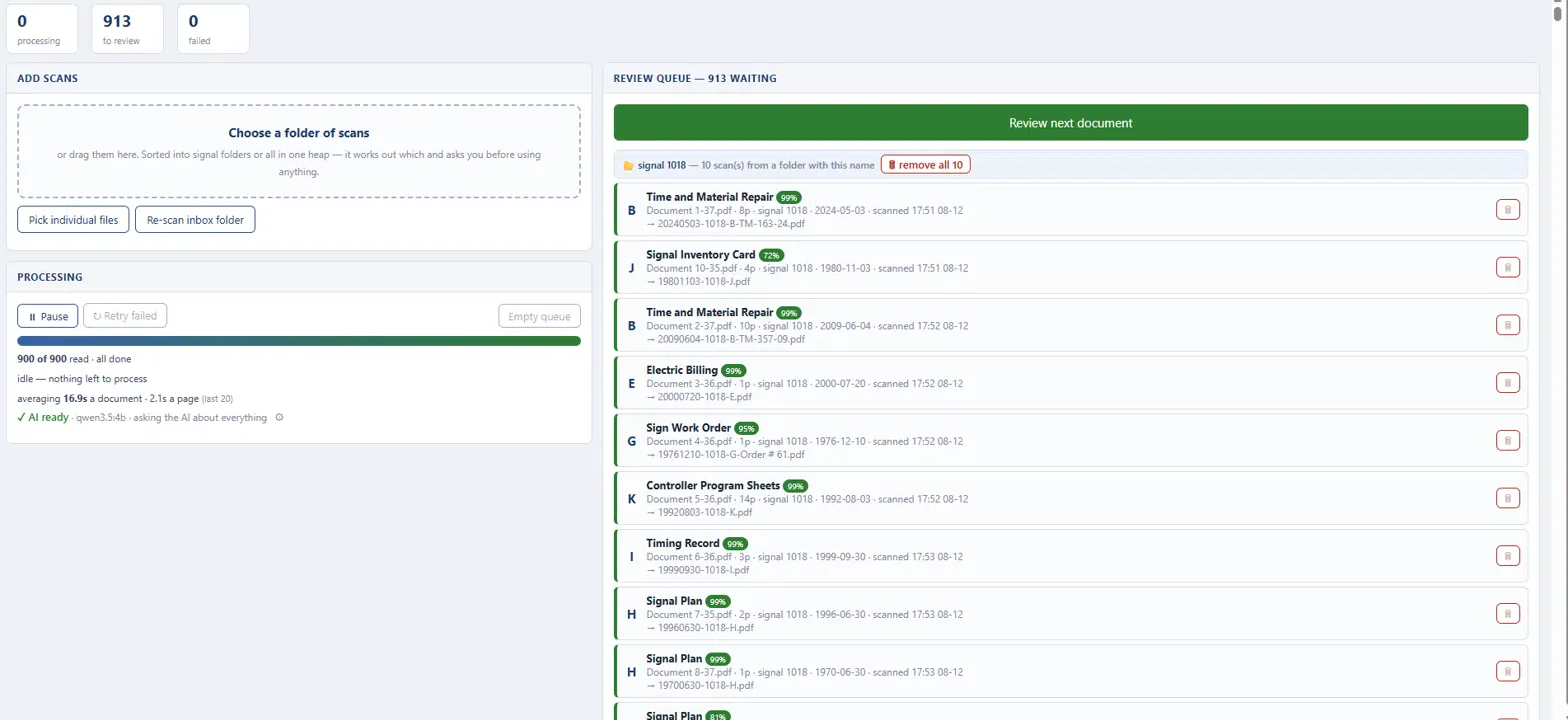
A big batch processing while finished documents wait for review.
How well it worked
When it was confident enough to suggest filing, it matched the county's existing category about 97% of the time, and in a blind test it got the type right on all 26 documents. Dates and exact file names were much harder, which is why a person still checks every one.
I built it fast with a lot of help from AI. My job was mostly deciding what was safe to automate and testing it against real documents.