- What it is
- Three small Python apps that update the big security checklist files a defense contractor has to fill out every quarter, with a person reviewing in the middle.
- Why I made it
- At my 2024 internship at TTM Technologies, the cybersecurity team updated those checklists by hand every quarter, which was slow and easy to mess up.
- What I did
- I learned the process from scratch, planned the three steps on a whiteboard, and built the apps with Python and Tkinter, including a check that never overwrites newer data.
- How it turned out
- The team used them for five quarterly reports.
The details
The problem
Defense systems have to follow a set of security rules called the NIST Risk Management Framework, and DISA publishes checklists, called STIGs, that turn those rules into specific checks. A scan fills in part of the checklist, but the rest needs a person to mark each finding with a reason, and those decisions were spread across spreadsheets. Doing it by hand every quarter was slow and easy to mess up.
Learning it first
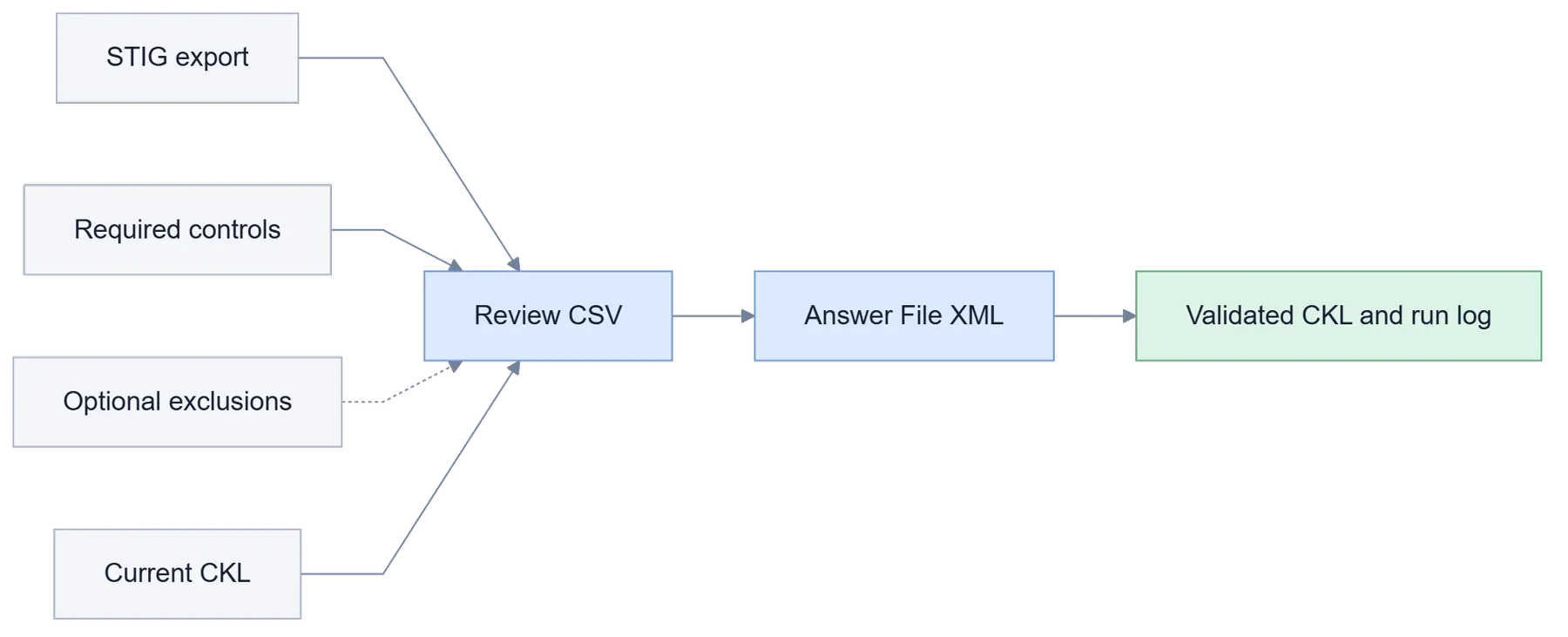
I didn't know any of this going in, so I started by running a scan on my own computer and following how everything moved through the checklist file. After talking with the team, I sketched the whole thing out on a whiteboard. The big decision was to split it into three steps, with a person reviewing in the middle.
Three small apps
The first app compares the scan results with the controls the system actually needs, and makes a spreadsheet of findings that probably don't apply, with the reason for each one. Someone reviews and edits that spreadsheet. The second app turns the approved spreadsheet into an answer file, and the third applies those answers to the checklist.
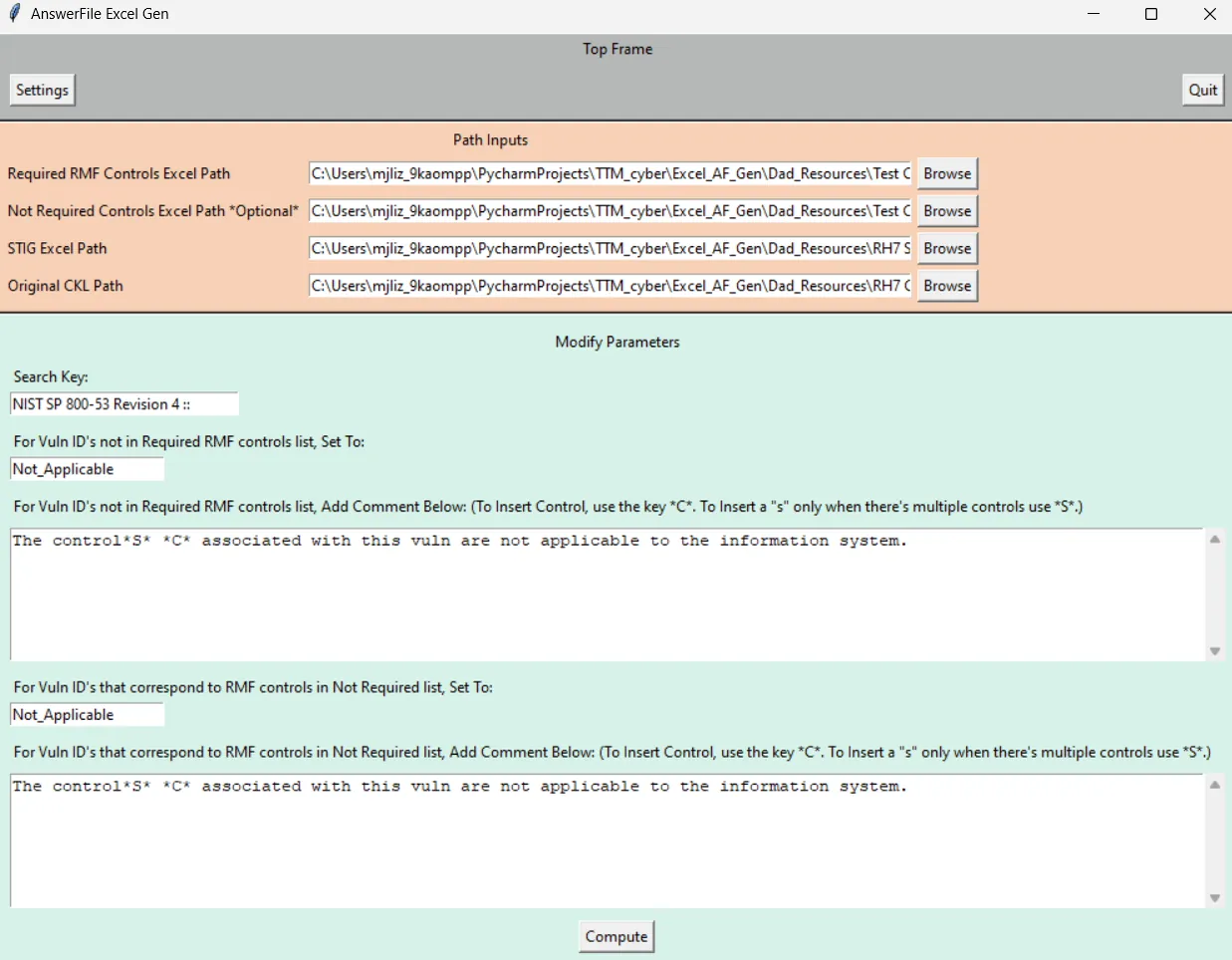
Step 1: build the review spreadsheet. 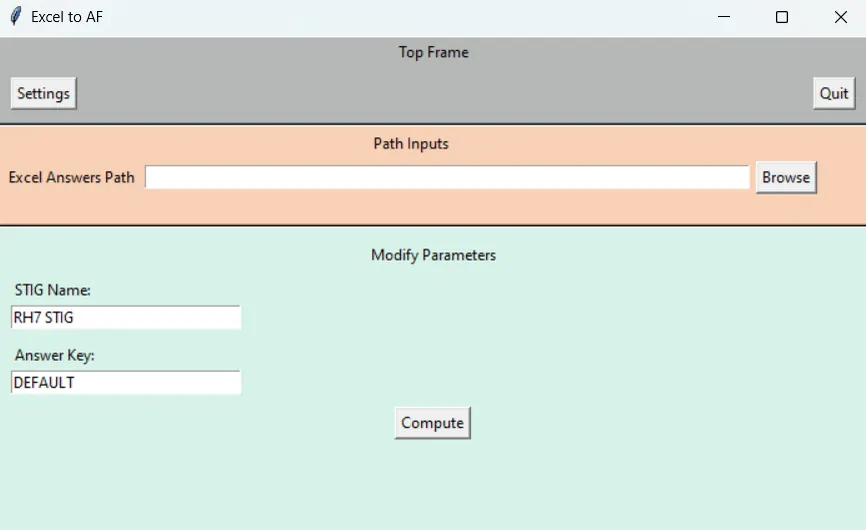
Step 2: turn the approved answers into an answer file. 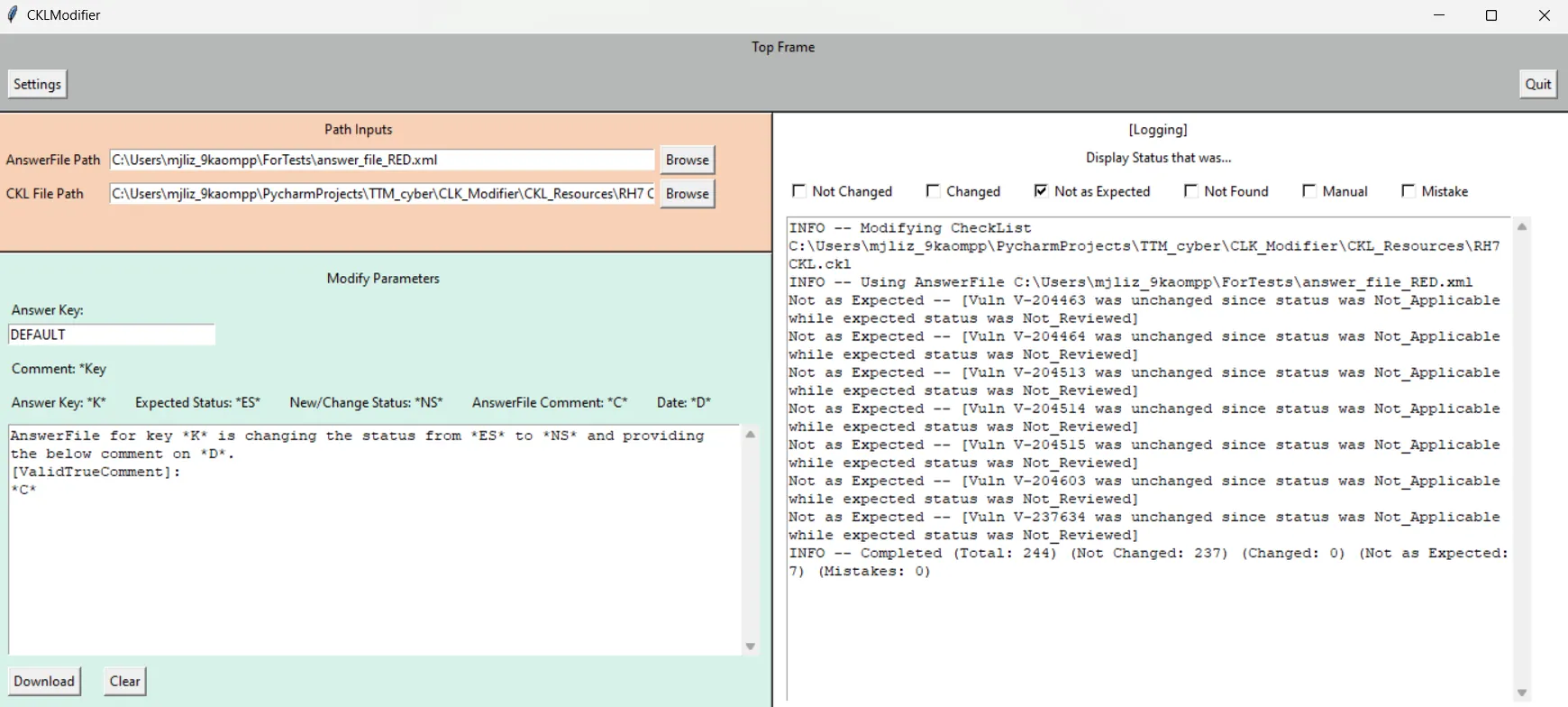
Step 3: update the checklist and log every change.
Never overwrite something newer
The part I'm happiest with is a safety check. Each answer remembers what the finding's status was when it was reviewed. If the checklist says something different by the time the answer is applied, the app leaves it alone and reports it instead of overwriting newer data. It also logs every change, every skip, and anything that looked wrong.
How it went
I wrote everything with Python's standard library and Tkinter, since fewer outside packages is easier in a security-focused place. It started as command-line experiments and turned into these apps after feedback from the team. They used it for five quarterly reports. If I did it again, I'd clean up the code so the three apps share one XML helper instead of each having its own copy.