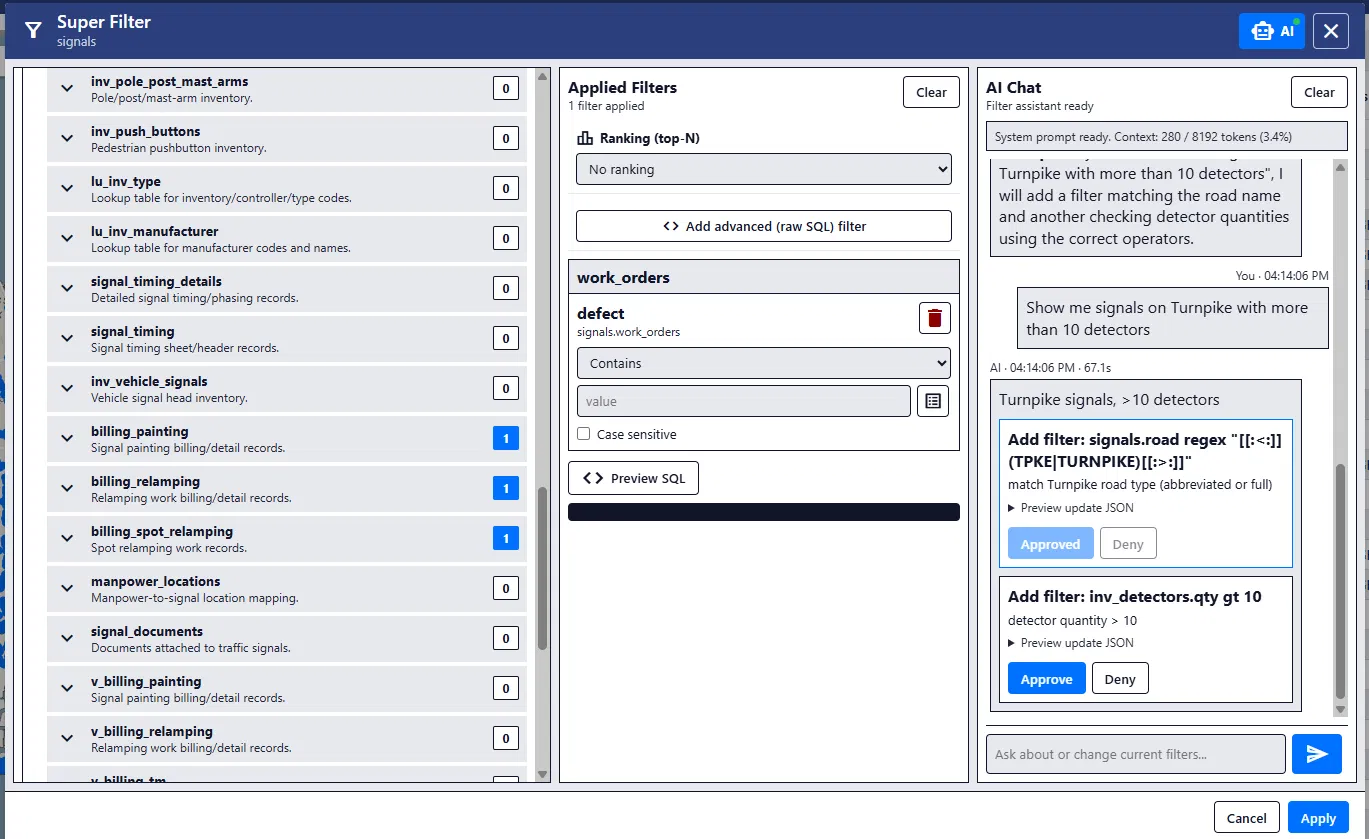
- What it is
- A filtering system for a county traffic signal app with more than 2,000 signals. You can build filters by hand, or ask in plain English and a small local AI suggests filters for you to approve.
- Why I made it
- At my 2026 internship at GPI, the team needed an easier way to find the right signals in a big database full of connected tables and messy free text.
- What I did
- I built the filter builder first, then a chat panel that turns plain English into filter cards, a test harness that ran 200 requests across 8 local models, and later a shared filter library.
- How it turned out
- The model I picked answered in about 8 seconds instead of 43 and got to about 91% on my tests. It started as a prototype and ended up built into the team's real app.
The details
Starting without AI
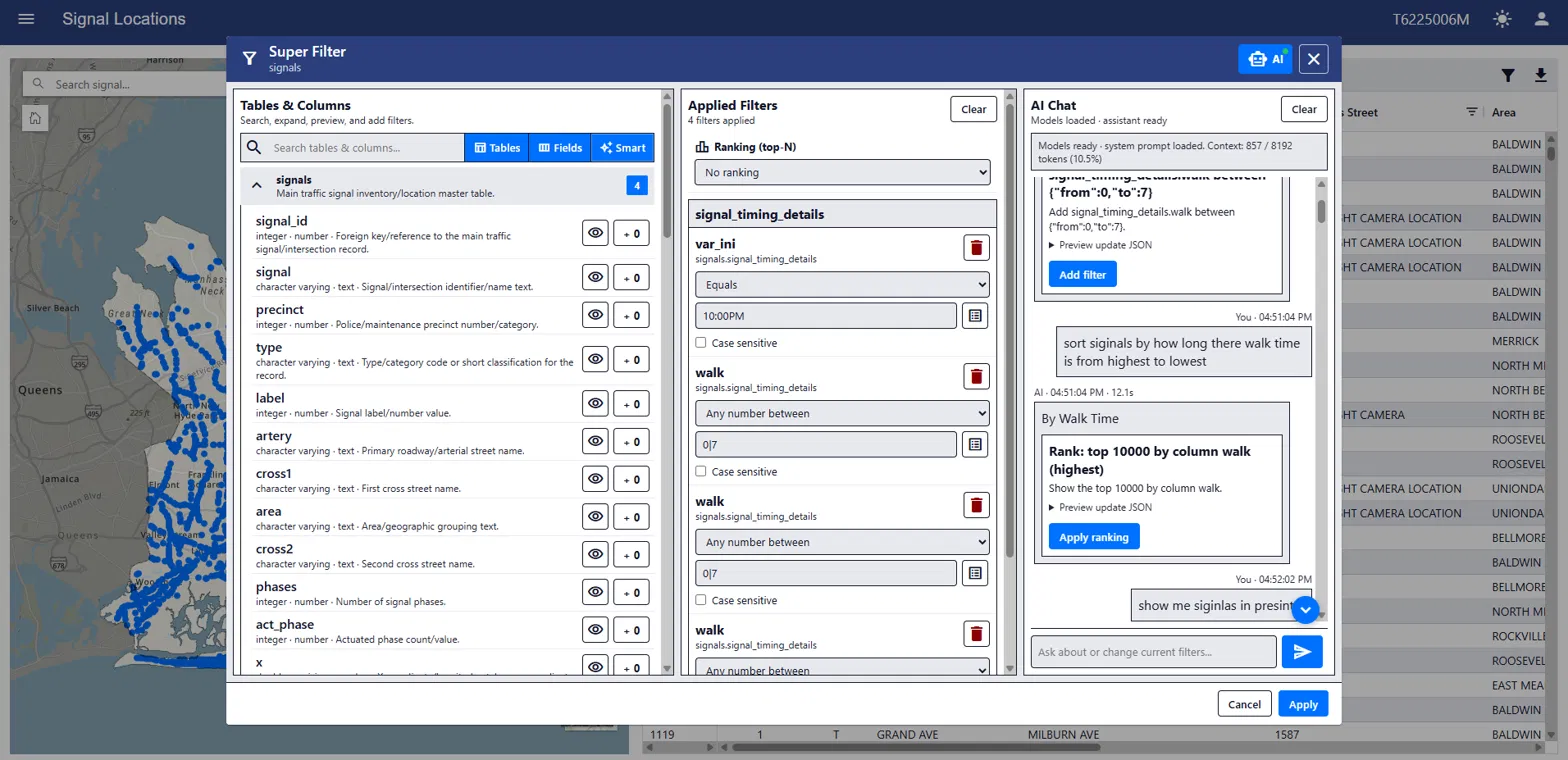
The database had everything about the signals: timing, maintenance, documents, locations, and a lot of tables all connected to each other. Plenty of fields were messy free text too. So before adding any AI, I built the filter builder by hand. It could search text, compare columns, count related records, handle dates, and nest AND, OR and NOT.
Doing that first meant the AI later had a safe, limited set of filters to work with, instead of writing its own SQL.
Asking in plain English
Next I added a chat panel next to the filters. You could ask for something like signals with vehicle detection, and it would come back with filter cards you could approve or deny. It could also read the filters already on screen and fix them.
The AI never touched the database directly. Every suggestion got checked against the real database structure, and queries only ran read-only.
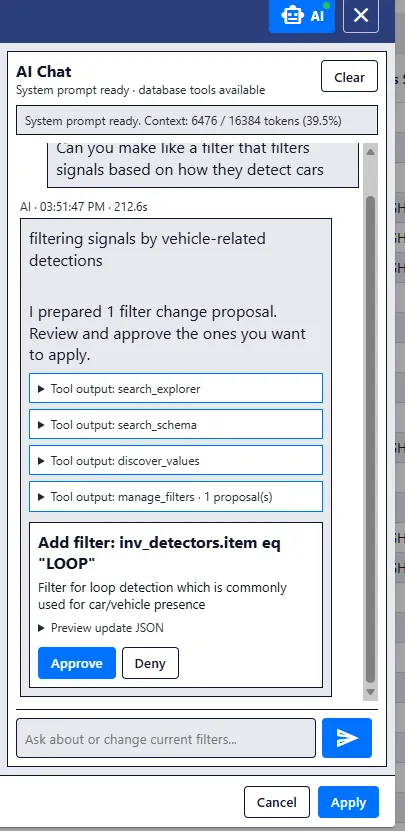
A plain-English request turned into a filter I can approve or deny. 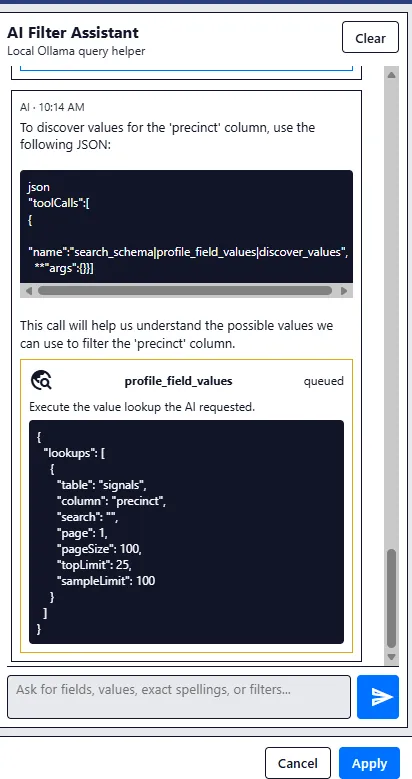
An early version that showed the tool call behind the chat. 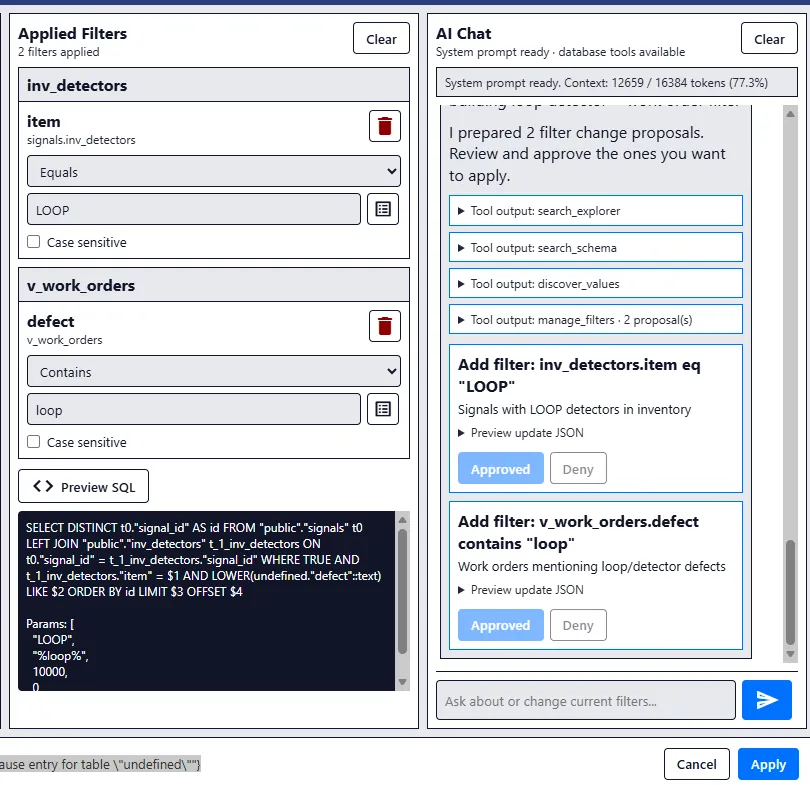
Applied filters, the SQL they make, and new suggestions waiting for a decision.
Picking a model that fits
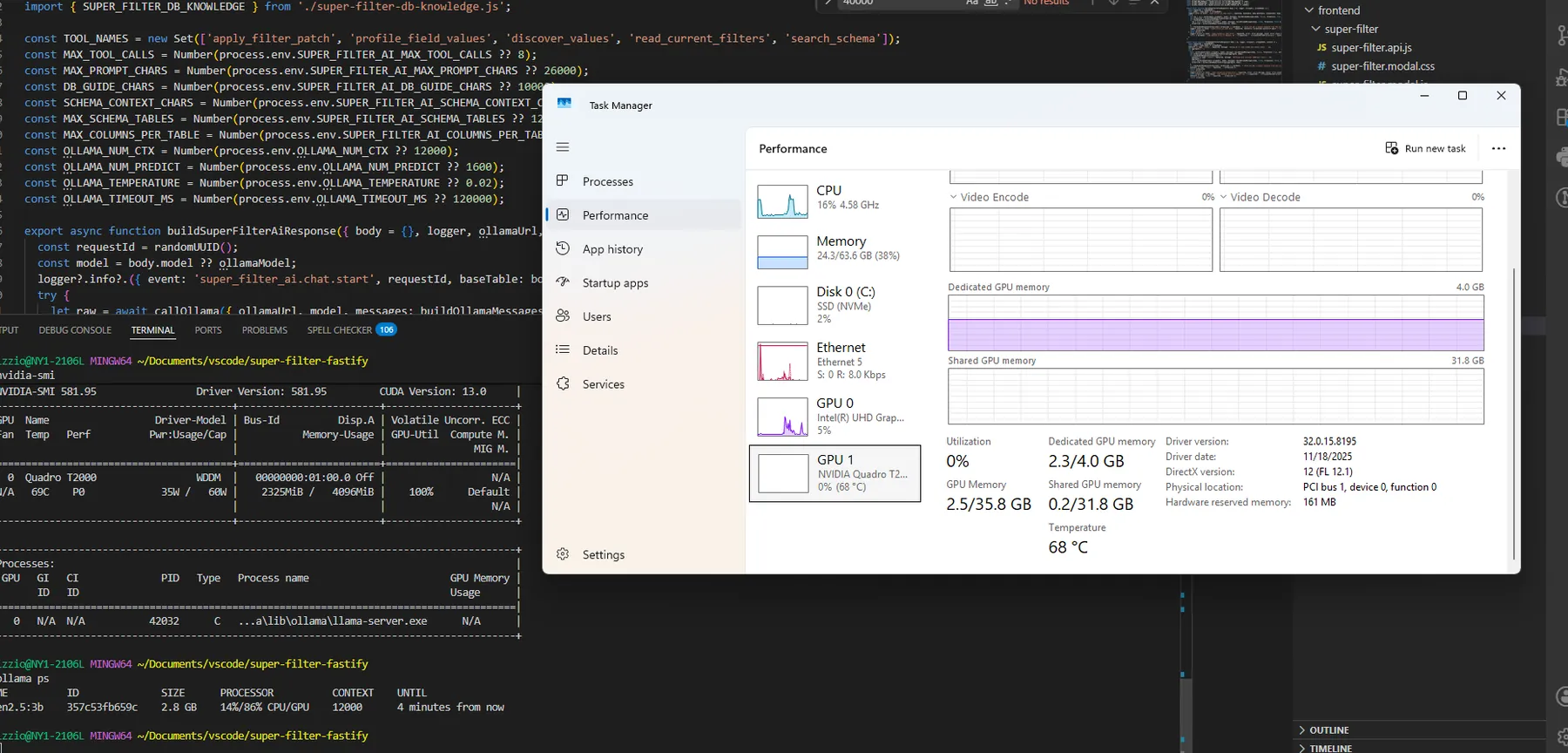
The work computer had a 4 GB GPU, which is tiny for AI. The model I started with was accurate but took about 43 seconds to answer. So I built a test harness and ran the same 200 requests across 8 local models, grading every answer. The winner was Qwen2.5 Coder 3B, which fit on the GPU and answered in about 8 seconds.
After about 50 rounds of prompt tweaking, it went from about 85% to 91% on my tests. On a fresh set of messier prompts it improved less, which was a good reminder not to trust a benchmark too much.
Sharing filters
Once people started using it, I didn't want good filters to disappear when you closed the tab. So I added a library where you can save filters and groups of filters, favorite them, and share them with the team by link or in a public catalog. If someone updates a filter you saved, you get a small update notice instead of it changing under you.
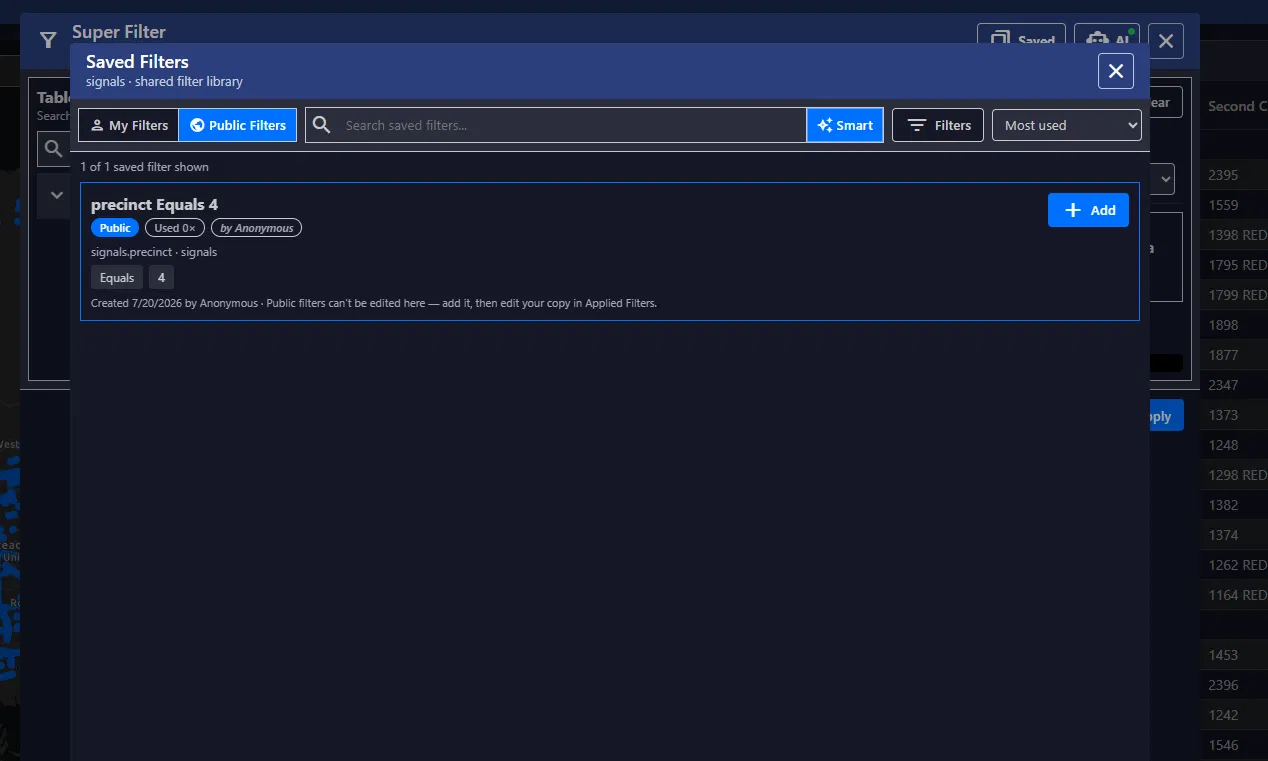
The public catalog of saved filters. 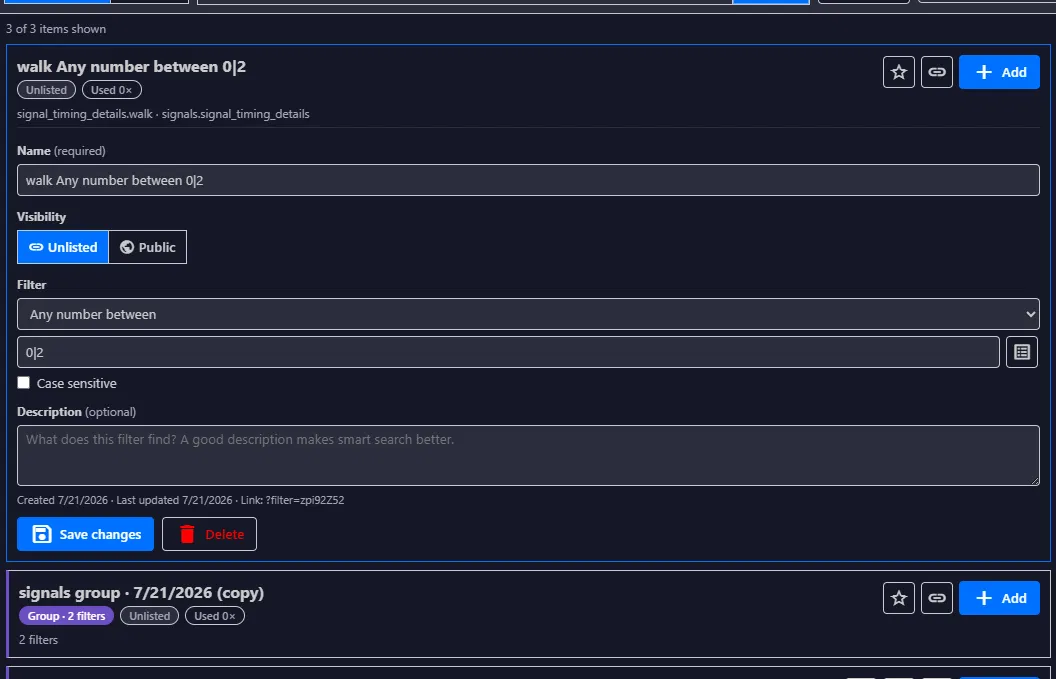
Editing a saved filter.
Where it ended up
It started as a standalone prototype and ended up built into the team's real app. The biggest thing I took from it is that the model was a small part of the work. Most of it was everything around the model: the checks, the testing, and making sure a person always gets the last word.