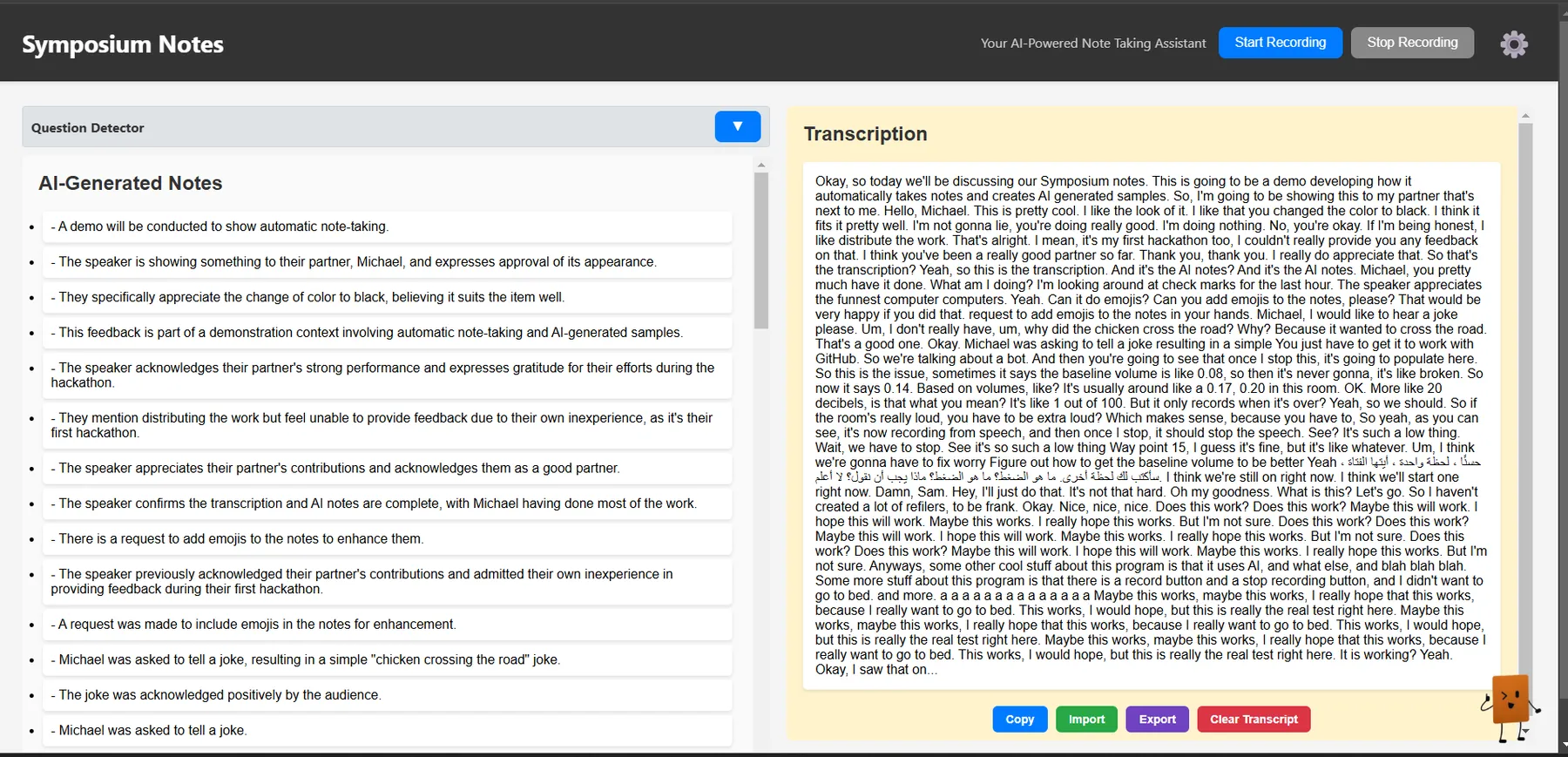
Imagine never having to take notes again. Symposium Notes is an AI-powered assistant that records, transcribes, and summarizes lectures and meetings, allowing you to pay full attention. I created the listener logic and the AI interfaces that populated the display during BrickHack 11.
Inspiration
I've wanted to create this project since before coming to RIT. Back in high school, I would’ve loved to have a tool like this, especially for English and social studies, where lectures were a big part of learning. I always struggled with juggling note-taking and actively listening, often missing key points because I was too busy writing.
Originally, I planned to use Glean, a software with similar functionality. However, I discovered that it doesn’t allow data exports. Even after emailing their support team back in October, I never received a response. So, I figured why not build it myself?
What it does
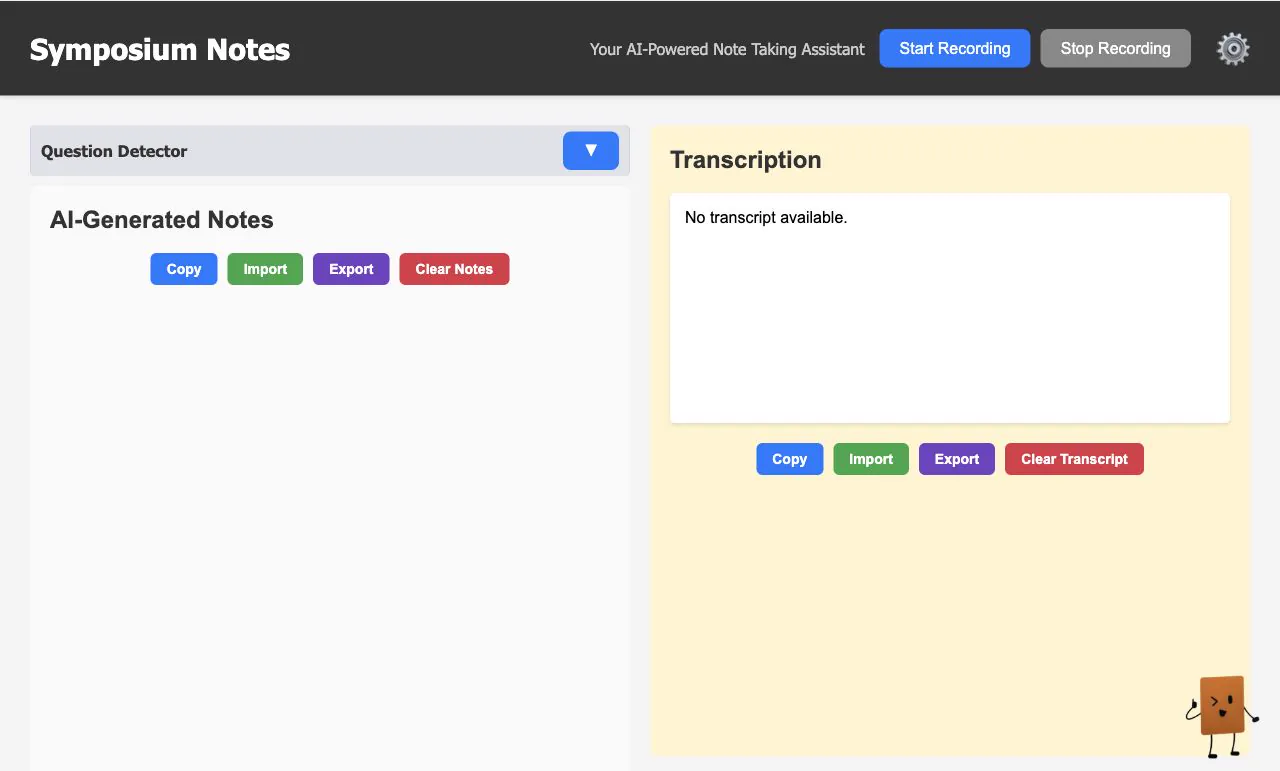
Users can start and stop recording at any time. The system automatically detects speech, breaks recordings into segments based on pauses, and converts the audio to text using OpenAI’s Whisper API.
It generates AI-powered summaries in bullet points, and users can choose how many bullet points they want. Notes and transcripts are stored locally, with separate views where they can be edited, imported, exported, or cleared.
A floating chat assistant answers follow-up questions using the transcript as context. Users can also adjust calibration time, silence detection, and segment length in the settings.
Challenges and accomplishments
Limited experience with JavaScript and CSS made certain features tricky. The biggest challenge was dividing tasks efficiently. We had to figure out how to integrate our individual work without stepping on each other’s toes.
The system was fully functional, and we completed it in time for the hackathon. We built a working AI-powered tool in a short time, and working as a team was a fun and rewarding experience.
What we learned
Don’t leave the Devpost submission for the last minute. Collaborating on a team project can be challenging, but it’s also incredibly rewarding. Helping and teaching each other made the experience even more valuable.
What’s next
The next steps were hosting it so people could use their own OpenAI API key, adding folders to organize notes by subject, and letting users upload PDFs and presentations so the AI could follow along and provide more detailed notes.