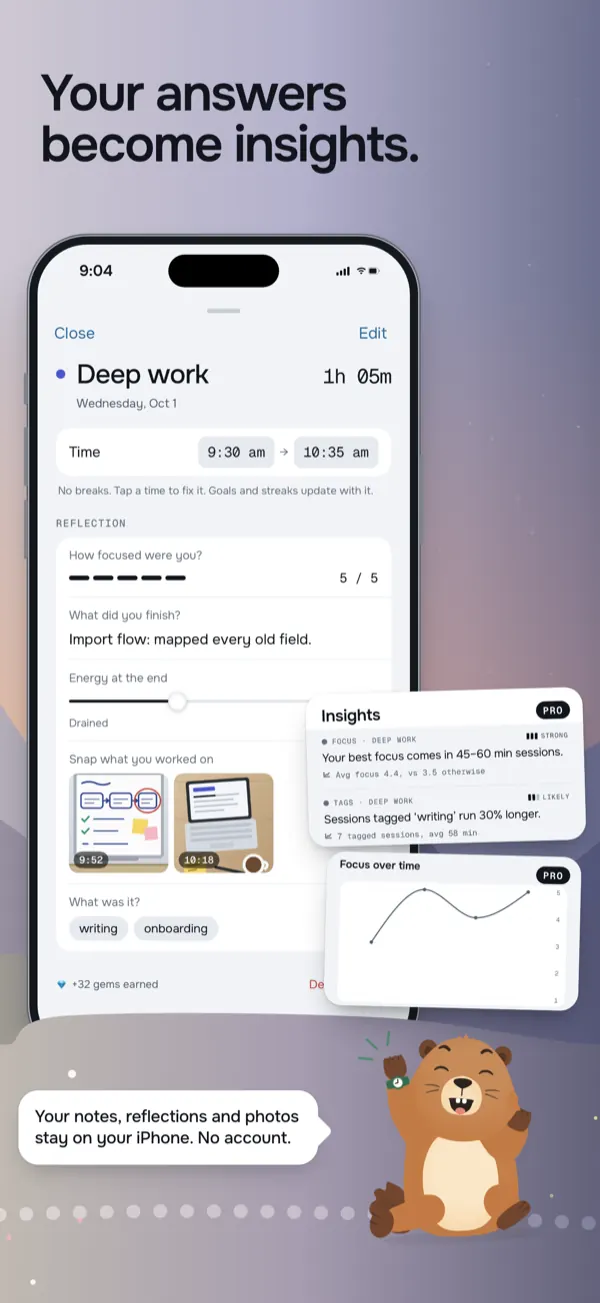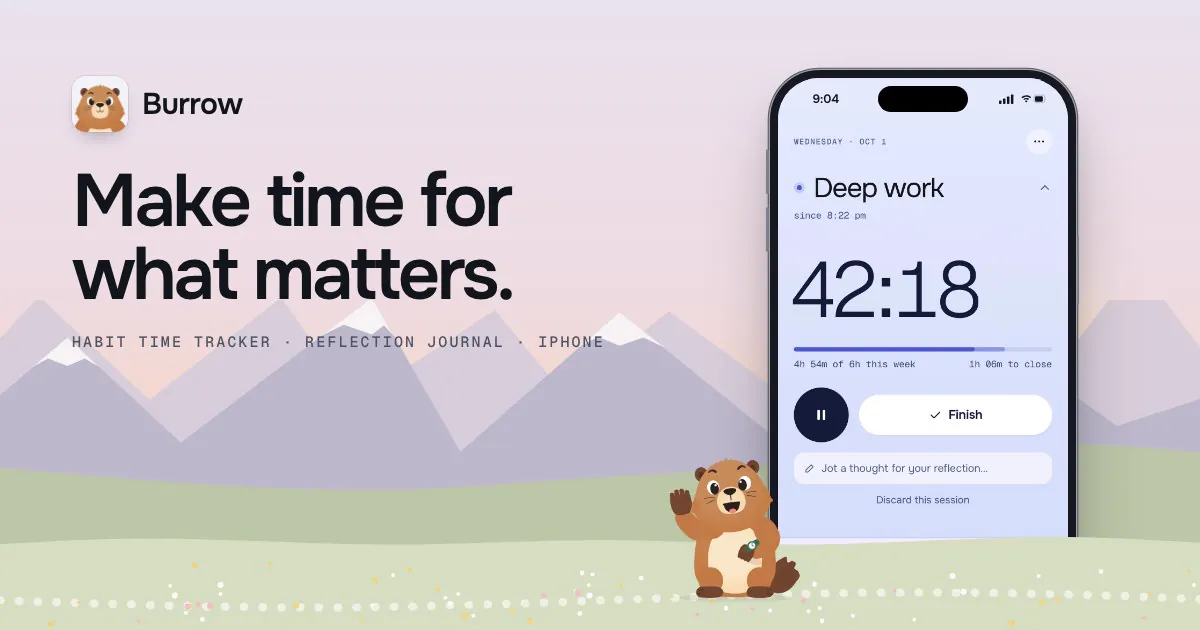
- What it is
- An iPhone habit time tracker. You tap an activity to start a timer, answer a few questions you wrote yourself when you finish, and Marko the marmot cheers you on.
- Why I made it
- At college I kept losing track of how much time I really spent on my projects and on reading, and a checkbox can't tell you if it was five minutes or two hours.
- What I did
- I designed and built it in Swift and SwiftUI, using AI as a coding tool, with timers on the Lock Screen, goals, and nudges that only show up if you forget.
- How it turned out
- It's been on the App Store since October 2026. Now the hard part is getting people to find it.
The details
Why I built it
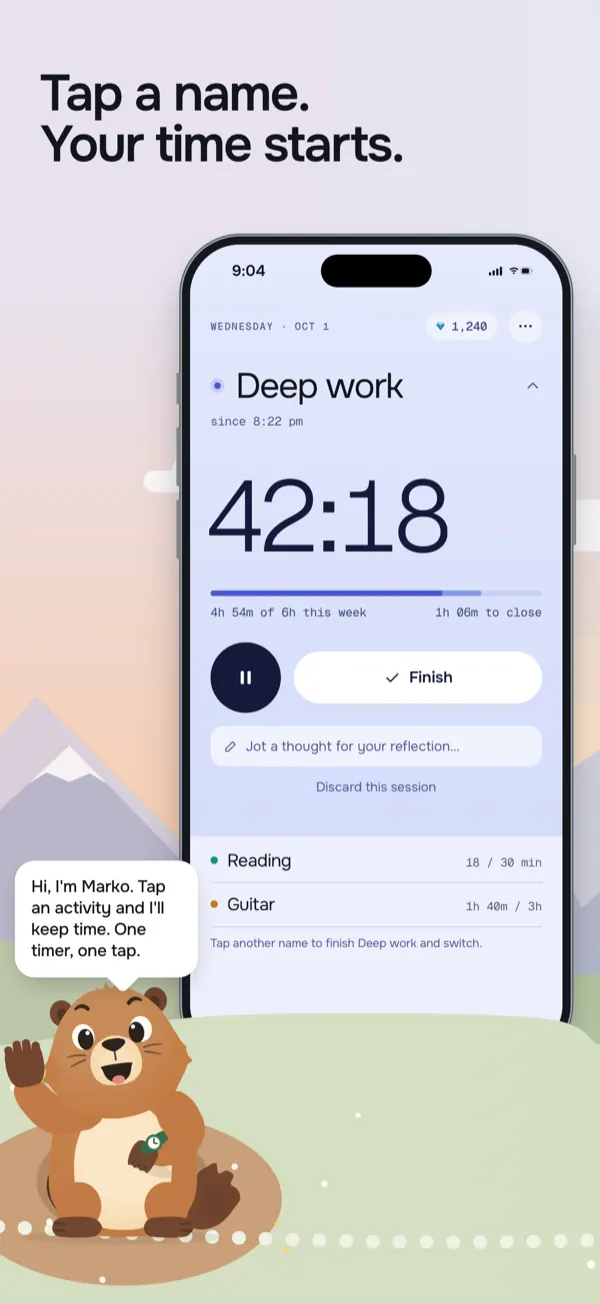
At college I wanted real time for my projects and for reading every week, and I kept losing track of it. I'd feel like I was putting in the hours and then not actually know. A checkbox that says "read today" doesn't tell you if it was five minutes or two hours.
So I wanted something where starting a timer is one tap, and where I could look back and see where my time really went.
How it works
You tap an activity's name and the timer starts. It also shows up on the Lock Screen and in the Dynamic Island, so you can pause or finish without opening the app. Each activity can have a goal for the day, week or month.
When you finish, Burrow asks a few questions you wrote yourself, like how focused you were or how many pages you read. You can skip them, but they're what turns a pile of minutes into something useful later, like seeing which sessions actually go well.
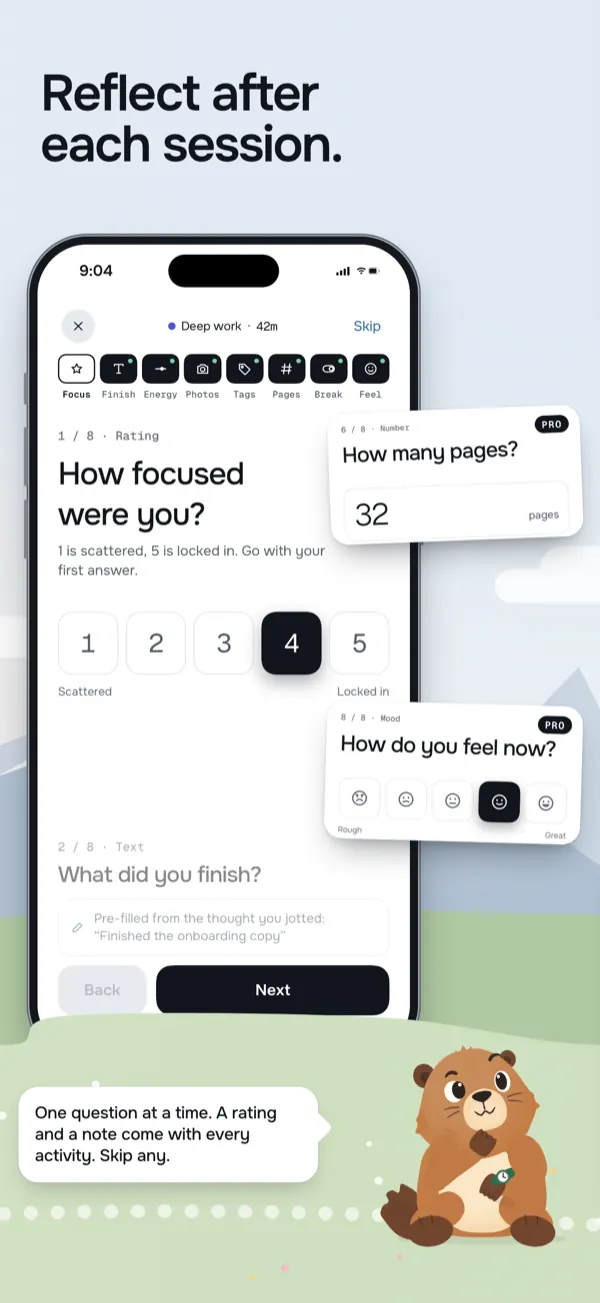
Questions you write yourself, after each session. 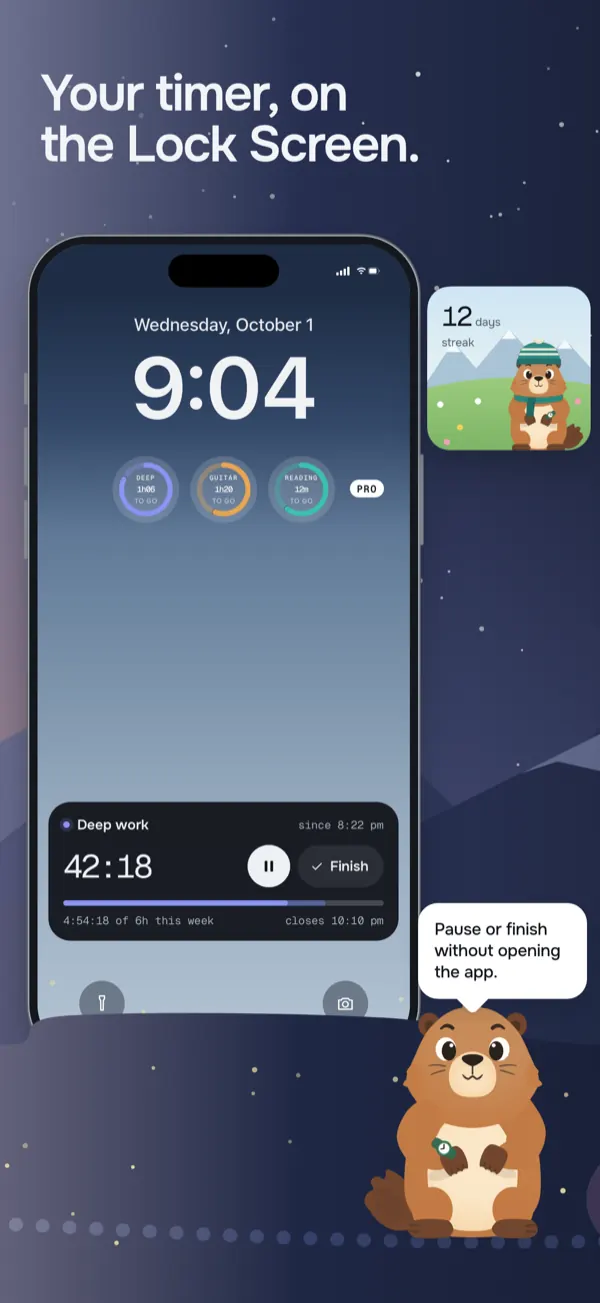
The timer on the Lock Screen.
Nudges, but only if you forget
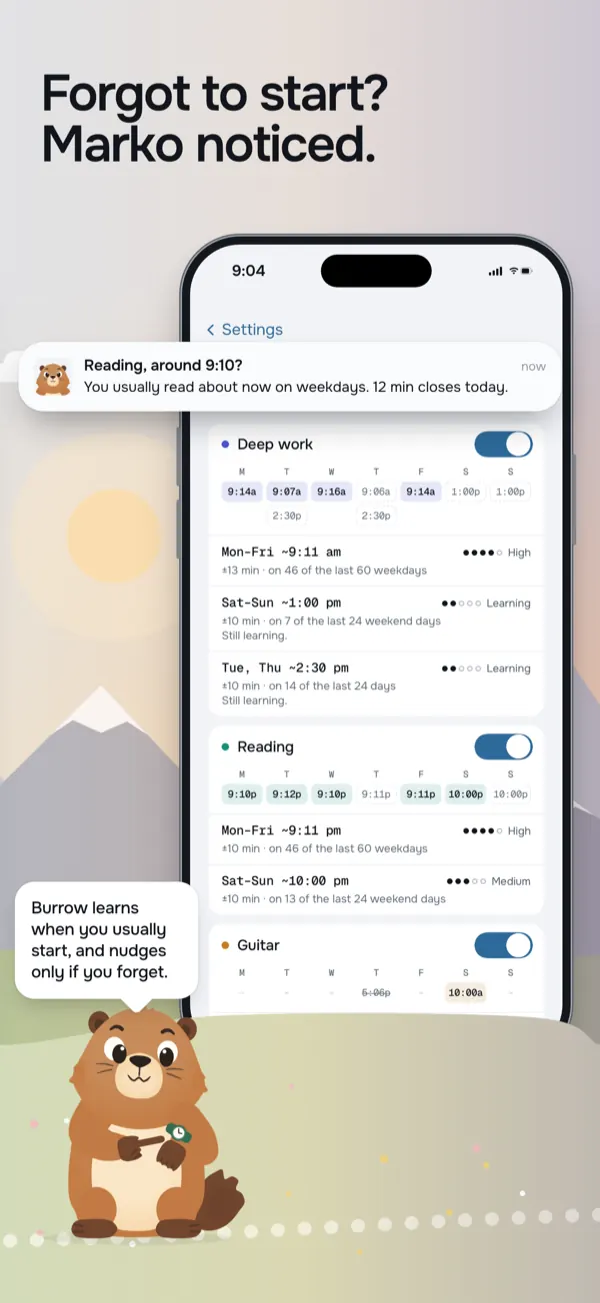
Burrow learns when you usually start each activity. If you usually read around 9 and it's 9:10 and you haven't started, you get one nudge. If you already started, it stays quiet. I didn't want another app that buzzes at you all day.
Marko
Marko is an alpine marmot, and he's a big part of why the app doesn't feel like a spreadsheet. Sessions earn gems, and gems buy him outfits. Streaks have forgiving freezes too, because missing one day shouldn't wipe out a whole month.
How I built it
Burrow is written in Swift and SwiftUI. Your data is stored on your phone in a SQLite database, with an optional backup to your own iCloud Drive, and there's no account. It used to be called DayMarko, and the code still says that everywhere.
The free version covers three activities, and Burrow Pro unlocks everything else for $4.99 a month or $29.49 a year. It went live in October 2026, and now the hard part is getting people to find it.